The ultimate 2025 guide to PUBG Mobile UC. Learn how to safely buy and redeem codes for premium skins and the Royale Pass, and how to spot common scams.
PUBG Mobile UC: Guide to Purchase, Redeem & Use (2025)
PUBG Mobile UC: Guide to Purchase, Redeem & Use (2025)
PUBG Mobile UC: The Ultimate Guide to Purchase, Redeem, and Usage (2025)
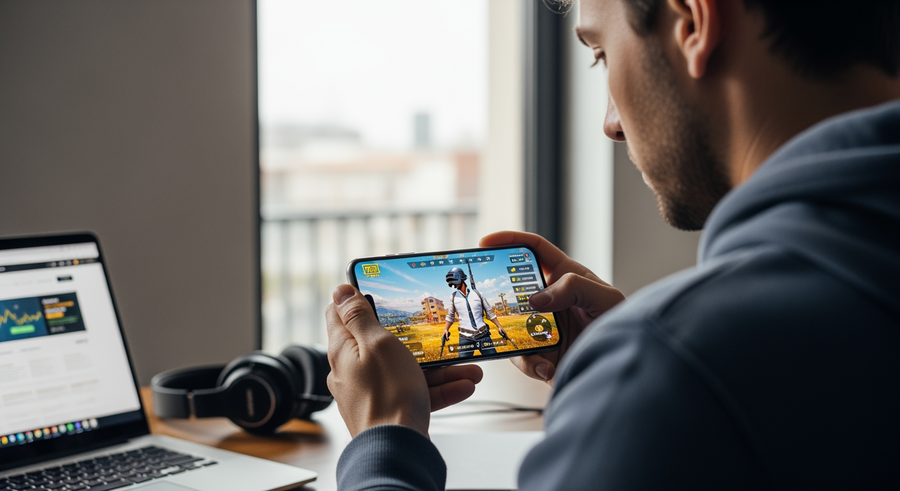
PUBG Mobile UC (Unknown Cash) is the premium in-game currency that fuels your experience in one of the world’s most popular battle royale games. While the core gameplay is completely free, UC is the essential key if you want to unlock premium skins, upgrade your Royale Pass, or access exclusive crates. If you are looking for an immediate solution to top up, the safest and fastest way to **buy PUBG Mobile UC** globally is through Recharge.com. This guide covers everything you need to know about pricing, redemption methods, and how to avoid scams while getting the most out of your currency.
Summary
In this guide, you will learn exactly what PUBG Mobile UC is and why it is crucial for upgrading your gaming experience. You will discover the safest methods to purchase UC online using Recharge.com, how to redeem your digital codes instantly, and how to spot “free UC” scams. We also breakdown global pricing availability and answer your most frequent questions about refunds and gifting.
TLDR
- Definition: UC (Unknown Cash) is the paid currency used for skins and the Royale Pass.
- Purchase: You can safely buy PUBG Mobile UC on Recharge.com using PayPal or Crypto.
- Redemption: You redeem codes via the official redemption portal using your Character ID.
- Safety: You should avoid “free UC generators” as they are scams; official purchases are the only safe method.
- Global Access: You can top up UC from almost any region, including India, Pakistan, and the US.
📑 Table of Contents
What is PUBG Mobile UC?
**What is PUBG Mobile UC?** UC stands for Unknown Cash. It is the virtual currency used exclusively in PUBG Mobile to purchase premium items. While you can earn BP (Battle Points) simply by playing the game, BP is generally limited to basic cosmetic items or soldier crates. **PUBG Mobile UC** is a paid currency, meaning you generally have to purchase it with real money to acquire it. It is the standard medium of exchange for the game’s most desirable content, allowing you to customize your character and weapons to stand out on the battlefield.
What can you buy with UC in PUBG Mobile?
Once you have topped up your account, the **PUBG Mobile UC shop** opens up a vast array of customization options. It is important to note that PUBG Mobile maintains a strict “fair play” policy; therefore, none of the items you buy with UC offer a competitive gameplay advantage—they are purely cosmetic.
👑 Royale Pass
This is the most popular use of UC. While there is a Free Pass, using UC to upgrade to the Elite Pass or Elite Pass Plus unlocks significantly better rewards, including mythic outfits and weapon skins as you level up.
👕 Skins and Outfits
PUBG Mobile UC and skins go hand in hand. You can purchase permanent sets, vehicle skins, and detailed weapon finishes directly from the shop or through limited-time events.
📦 Crates & Luck
You can use UC to open Premium, Classic, and Lucky Crates. These operate on a “lucky spin” mechanic where you have a chance to win rare items.
🦜 Companions & Emotes
Customize your lobby and in-game interactions by purchasing pets (companions) and unique dance emotes.
How to buy PUBG Mobile UC online
Finding a reliable place for a **PUBG Mobile UC top up** can be confusing given the number of sites available. Recharge.com establishes itself as the premier destination by prioritizing safety, speed, and global access.
Step-by-step purchase guide
- Select your Region: Navigate to the PUBG Mobile product page on Recharge.com corresponding to your account’s region.
- Choose Amount: Select the amount of UC you wish to purchase.
- Enter Email: Provide the email address where you want to receive your **PUBG Mobile UC code**.
- Payment: Complete the transaction securely. You will receive your digital code instantly via email.
Payment methods available
One of the biggest hurdles for gamers is finding a payment method that works for them. At Recharge.com, we offer flexibility. You can easily buy PUBG Mobile UC with PayPal if you prefer not to use a credit card directly. Additionally, for privacy-conscious gamers, we offer the option to buy PUBG Mobile UC with Crypto, ensuring that you can pay the way you want.
Global Pricing and Availability
The **PUBG Mobile UC price** can vary slightly depending on your region’s currency exchange rates and local taxes. Recharge.com supports players globally, ensuring that no matter where you are playing from, you can top up your account safely.
We have tailored pages to ensure you get the correct region-locked codes for your account:
- 🇮🇳 For players in India looking for PUBG Mobile UC in India.
- 🇵🇰 For users in Pakistan needing a PUBG Mobile UC purchase in Pakistan.
- 🇦🇫 Gamers in Afghanistan can easily top up PUBG Mobile UC in Afghanistan.
- 🇰🇷 Support for South Korea PUBG Mobile UC KR.
- 🇨🇳 Availability for the massive market in China.
- 🇺🇸 Standard top-ups for PUBG Mobile UC in the US.
European players are also fully supported. You can buy PUBG Mobile UC in Ireland, Belgium, and Germany with local payment methods.
How to redeem your PUBG Mobile UC code
Once you have completed your purchase on Recharge.com, you will receive a digital code. Knowing **how to redeem PUBG Mobile UC** correctly is the final step to getting your currency.
Redemption Instructions:
- Go to the official PUBG Mobile redemption portal (often Midasbuy or the game’s official redemption center depending on your region).
- Login or enter your Character ID. You can find this ID in your game profile under your avatar.
- Enter the PUBG Mobile UC redeem code you received from Recharge.com.
- Click “OK” or “Redeem.” The UC will be instantly added to your in-game account balance.
Can you get PUBG Mobile UC for free?
Many players search for **pubg mobile uc free** or hacks to get unlimited currency. It is vital to be direct here: **There is no legitimate way to generate unlimited free UC.**
⚠️ Warning: Avoid UC Generators
Websites claiming to offer a “UC Generator” or “No Ban Hack” are malicious. As explained in our security guide, these are scams designed to steal accounts or data. Using them can lead to your account being permanently banned by Tencent.
The only legitimate ways to get UC without direct purchase are through official tournaments, giveaways, or by using apps like Google Opinion Rewards to earn small amounts of credit over time. However, these methods are slow. The safest, ban-free method to get the skins you want is to purchase legitimate codes.
Frequently Asked Questions (FAQ)
How much does PUBG Mobile UC cost?
Prices fluctuate based on bundle size and region. Generally, bundles start from small amounts like 60 UC up to large packs of 6000+ UC. Buying larger bundles often gives you a “bonus” amount of UC. Check Recharge.com for the most current **PUBG Mobile UC for sale** prices in your specific currency.
How do I check my UC spend history?
If you want to track your **PUBG Mobile UC spend history**, you can check your transaction history within your Recharge.com account to see the codes you have purchased. For in-game usage, check your in-game mail, as the system often sends receipts when items are purchased.
How do I refund PUBG Mobile UC?
Digital gift card codes are generally non-refundable once they have been viewed or redeemed. Because the code is revealed to you, it cannot be returned. Please ensure you are selecting the correct region before you **buy PUBG Mobile UC**.
Can I send UC to friends?
You cannot directly transfer UC from your own game balance to a friend’s account. However, you can easily buy a **PUBG Mobile UC redeem code** from Recharge.com and send that code to a friend as a gift. They can then redeem it on their own account using their Character ID.
Written by
Conor Byrne