Discover everything you need to know about the World of Warcraft map in 2026. Explore map sizes, interactive tools, troubleshooting tips, and navigate Azeroth.
World of Warcraft Map 2026: Size, Zones & Tools Guide
World of Warcraft Map 2026: Size, Zones & Tools Guide
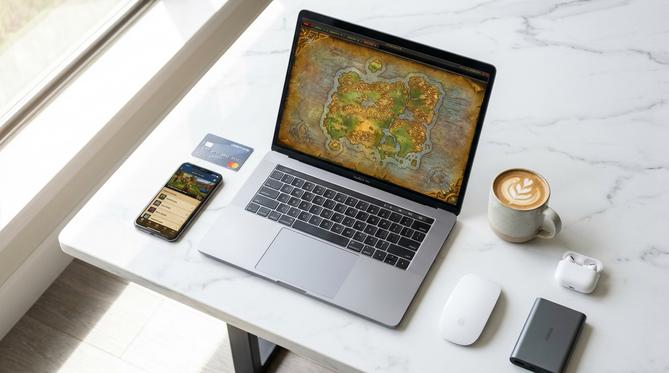
What Is the World of Warcraft Map?
The World of Warcraft map is the in-game navigational tool and the overarching geographical layout of the game’s universe. You are about to dive into everything you need to know about the world of warcraft map in 2026. World of Warcraft (WoW) is a massively multiplayer online role-playing game, and this guide covers everything from map sizes and regions to interactive tools and troubleshooting steps without any unnecessary fluff.
Primarily, the map represents the world of Azeroth, though it expands dramatically to include Outland, Draenor, the Shadowlands, and beyond. As you journey through the game, you will notice a stark difference between the world of warcraft map classic, which features the original 2004 layout, and the incredibly expansive world of warcraft map 2026 layout.
Summary
In this guide, you will learn exactly how to navigate Azeroth and its surrounding planets in 2026. You will discover the true scale of the game’s universe, learn how to use essential in-game and second-monitor tools, and find out how to troubleshoot common interface bugs. Whether you are returning for the latest expansion or starting fresh, you will have all the geographical knowledge you need.
In this guide, you will learn exactly how to navigate Azeroth and its surrounding planets in 2026. You will discover the true scale of the game’s universe, learn how to use essential in-game and second-monitor tools, and find out how to troubleshoot common interface bugs. Whether you are returning for the latest expansion or starting fresh, you will have all the geographical knowledge you need.
TLDR
- If you are exploring Azeroth in 2026, you will navigate a massive universe spanning multiple continents and cosmic realms.
- You can utilize advanced in-game toggles and interactive second-monitor tools to easily find coordinates, levels, and major cities.
- You will easily resolve common issues like your mini map disappearing by updating your 2026 add-ons or reloading your user interface.
- You can enhance your adventure, buy mounts for faster travel, or gift game time using a Battle.net gift card.
🗺️ What You Will Learn About the WoW Map
- ➔ How Big Is the World of Warcraft Map?
- ➔ Exploring the World of Warcraft Map of Azeroth
- ➔ In-Game Map Features and Interactive Tools
- ➔ Troubleshooting: World of Warcraft Map Not Showing
- ➔ Physical WoW Maps and Creative Crossovers
- ➔ Frequently Asked Questions (FAQ)
- ➔ Enhance Your Journey With a Battle.net Gift Card
How Big Is the World of Warcraft Map?
The World of Warcraft map is massive, spanning multiple continents, planets, and alternate dimensions that will take you thousands of hours to fully explore. If you are wondering “is world of warcraft map big” or “how large is world of warcraft map,” you will find that it remains one of the largest handcrafted environments in gaming history.
World of Warcraft Map Size in KM
The estimated world of warcraft map size in km was historically calculated at around 113 square kilometers for just the Eastern Kingdoms and Kalimdor, but it is vastly larger now. Your perception of the map’s size will heavily depend on your movement speed; traveling on foot feels like a monumental trek, whereas using modern flying mounts shrinks the world considerably.
How Big Is the World of Warcraft Map With All Expansions?
The world of warcraft map size has grown exponentially from its original release to 2026. You now have access to dozens of new landmasses, including all major additions up through the world of warcraft map the war within. When you open the world of warcraft map war within, you will discover multi-layered subterranean zones that add incredible vertical depth to the overall scale.
World of Warcraft Map Size Comparison
When looking at a world of warcraft map size comparison, you will see that Azeroth easily dwarfs many other popular gaming worlds. While sandbox games like GTA V or Skyrim offer huge environments, WoW’s continuous zone additions over two decades make it significantly larger and geographically more diverse.
Exploring the World of Warcraft Map of Azeroth
Azeroth is the core planet you will explore, serving as the central hub for the game’s most iconic lore, quests, and capital cities.
Eastern Kingdoms and Kalimdor
Eastern Kingdoms
You will find the world of warcraft map eastern kingdoms dominated by dense forests, haunted plaguelands, and the human capital of Stormwind.
Kalimdor
The world of warcraft map kalimdor offers sweeping deserts, lush magical forests, and acts as the traditional stronghold for the Horde.
These two massive landmasses form the world of warcraft map original layout and remain the historic heart of your adventure.
Major Cities and Orgrimmar
Learning how to read a world of warcraft map with cities is crucial for your success. You will spend a lot of time in central hubs for the Horde and Alliance.
- Horde Hub
- The world of warcraft orgrimmar map is essential for Horde players. You will use it to navigate complex canyons to find vendors, portals, and class trainers.
- Alliance Hub
- Stormwind City serves as the Alliance equivalent, featuring distinct districts that are easily identifiable on the city map.
In-Game Map Features and Interactive Tools
You can interact with the map interface in the game to pinpoint quest objectives, track resources, and coordinate with your guildmates.
Using the World of Warcraft Map In Game
💡 Pro Tip: Pressing ‘M’ opens the default world of warcraft map in game.
Through the default interface or 2026 add-ons, you can easily toggle a world of warcraft map with levels to see exactly which zone suits your character’s progression. Additionally, you can enable a world of warcraft map with names for specific sub-zones, or activate a world of warcraft map with coordinates to share precise locations with other players.
World of Warcraft Map Interactive and Second Monitor Setups
You will benefit greatly from using a third-party world of warcraft map interactive tool, such as Wowhead’s flight planner or resource tracker. Many veteran players highly recommend keeping a world of warcraft map on second monitor to ensure efficient questing and gathering without constantly opening and closing the in-game interface.
Troubleshooting: World of Warcraft Map Not Showing
If your World of Warcraft map is not showing, you need to follow a few quick troubleshooting steps to get your interface back in working order.
How to Fix Mini Map Not Showing
To fix the world of warcraft mini map not showing or the main world of warcraft map not showing, you should follow this checklist:
1. Reload UI
Type
Type
/reload in your chat box and press enter to refresh the user interface.
2. Update Add-ons
Disable any outdated add-ons in your 2026 add-on manager, as map-altering mods frequently break after major patches.
Disable any outdated add-ons in your 2026 add-on manager, as map-altering mods frequently break after major patches.
3. Check Keybinds
Open your options menu to ensure you haven’t accidentally unbound your main map key.
Open your options menu to ensure you haven’t accidentally unbound your main map key.
Physical WoW Maps and Creative Crossovers
The map exists outside the core MMO, allowing you to celebrate your fandom in the real world and across other popular gaming platforms.
World of Warcraft Map Poster for Wall
You can easily buy a beautiful world of warcraft map poster from the Blizzard Gear Store or independent fantasy artists. Framing and hanging a highly detailed world of warcraft map for wall decoration is a fantastic way to show off your love for Azeroth in your gaming room.
Map Recreations in Minecraft and Fortnite
You can explore incredible community projects like a massive, 1:1 scale world of warcraft map in minecraft built by dedicated fans. Additionally, you can jump into custom game modes using creative codes for a world of warcraft fortnite map, blending the MMO’s classic locations with fast-paced battle royale mechanics.
Frequently Asked Questions (FAQ)
Can you play WoW offline?
No, you cannot play World of Warcraft offline; it requires a persistent internet connection to connect to Blizzard’s servers in 2026.
Does World of Warcraft use normal maps?
Yes, modern World of Warcraft uses normal maps—a 3D modeling texture technique—to add intricate detail, depth, and realistic lighting to surfaces without increasing the overall polygon count.
Is there a World of Warcraft map editor?
While there is no official world of warcraft map editor for players to alter the live game, dataminers and private server creators often use third-party tools to view or modify game files.
What is the World of Warcraft forces map?
The world of warcraft forces map generally refers to the strategic faction maps, such as the command tables or PvP battleground layouts, that show the territorial control of the Alliance and Horde.
Enhance Your Journey With a Battle.net Gift Card
Whether you are exploring the vast new subterranean zones in The War Within in 2026, transferring characters to play with friends, or simply buying game time, a Battle.net gift card is the absolute easiest way to fund your adventures. You can use it to instantly upgrade your WoW experience, buy epic flying mounts to traverse the map faster, or even gift game time to a guildmate who needs it. Grab a Battle.net gift card today to ensure your journey across the ever-expanding map of Azeroth never hits a roadblock!
Written by
Conor Byrne