

Learn what a VPN hides to protect your privacy in Canada. Discover how it masks your IP address, encrypts your internet activity from your ISP, and what it *can’t* hide.
What Does a VPN Hide? A Complete Guide for Canadians
What Does a VPN Hide? A Complete Guide for Canadians
The Core Purpose of a VPN
A Virtual Private Network (VPN) is a powerful tool designed to protect your online privacy. Its core purpose is to create a secure, encrypted connection between your device (like a computer or smartphone) and the internet. Think of it as a private, digital tunnel. When you connect to a VPN, it encrypts all of your internet traffic—everything you send and receive—and routes it through a remote server operated by the VPN provider. This process effectively hides your online activities and masks your identity, giving you a crucial layer of security and anonymity as you navigate the web.
Summary
This guide explains exactly what a VPN hides to protect your online privacy in Canada. You’ll learn that a VPN conceals your real IP address and location, encrypts your browsing history, and shields your activity from your Internet Service Provider (ISP), websites, and hackers. We also cover what a VPN doesn’t hide, how to check if yours is working correctly, and answer frequently asked questions about VPNs.
TLDR
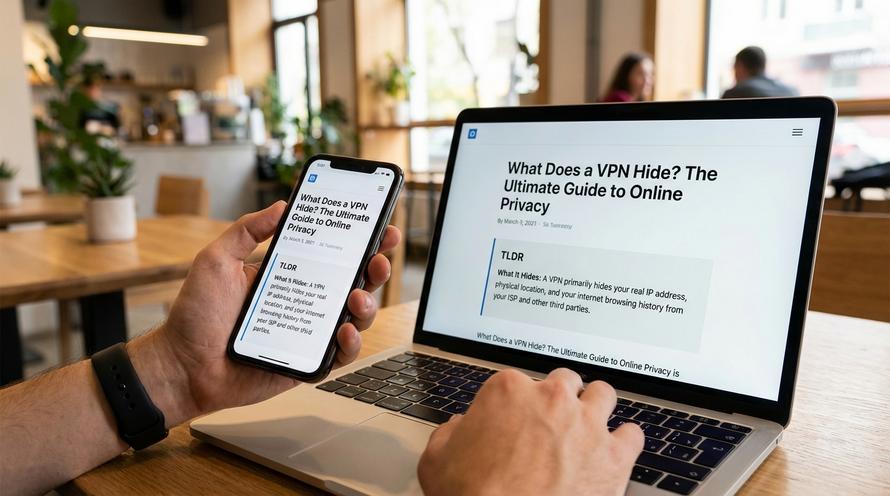
- A VPN hides your real IP address, making it look like you’re in a different location.
- It encrypts your internet traffic, hiding your browsing history and search queries from your ISP (like Bell or Rogers) and others.
- It protects you from hackers on public Wi-Fi by scrambling your data.
- A VPN does not hide your identity if you log into accounts like Google or Facebook.
- It does not protect you from viruses or malware already on your device.
📑 Table of Contents
What Information and Data Does a VPN Hide?
When you activate a VPN, it immediately begins to mask and encrypt specific types of data to safeguard your digital footprint. Understanding what data a VPN hides is key to appreciating its value for your online privacy. Here’s a breakdown of the primary information it conceals.
Your Real IP Address and Geographical Location
📍
A VPN changes your IP address by replacing it with one from its own network. Your Internet Protocol (IP) address is a unique number that identifies your device on the internet, and it’s directly linked to your physical location. When you connect to a VPN server in another city or country, websites, apps, and online services will only see the VPN server’s IP and location, not yours. This is how a VPN hides your location, making it appear as if you are browsing from Toronto when you’re actually in Vancouver, or from London when you’re in Montreal.
Browsing History and Search Habits
One of the most significant things a VPN hides is your online activity. Through powerful encryption, a VPN scrambles all the data travelling to and from your device. This means that details like:
- The exact URLs of websites you visit
- The search queries you type into Google or other search engines
- The specific articles you read or videos you watch
- How long you spend on any given page
All of this information becomes unreadable to third parties. This prevents them from building an accurate profile of your interests, habits, and online behaviour for targeted advertising or data collection.
Who Does a VPN Hide You From?
By encrypting your traffic and masking your IP address, a VPN creates a shield between you and several entities that may be monitoring your online activities. Here are the main parties a VPN hides you from.
Your Internet Service Provider (ISP)
In Canada, your ISP (like Rogers, Bell, Telus, or Shaw) has a direct view of your entire unencrypted internet activity. They can see every website you visit, how long you stay, and what you do there. Some ISPs have been known to throttle (deliberately slow down) certain types of traffic, like streaming or file-sharing. When you use a VPN, your ISP can only see that you are connected to a VPN server and the volume of encrypted data being transferred. They can no longer see the specifics of your browsing, effectively blinding them to your online habits.
Websites, Apps, and Online Trackers
Websites and advertisers use your IP address as a primary tool for tracking your activity across the internet. They can use it to build a profile about you, link your browsing habits across different sites, and serve you targeted ads. By masking your real IP, a VPN makes it much harder for these trackers to follow you. While it doesn’t block all tracking methods (like cookies), it removes a key identifier they rely on, significantly enhancing your privacy.
Cybercriminals and Hackers
🛡️
This is especially critical when you’re using unsecured public Wi-Fi networks at places like coffee shops, airports, or hotels. These networks are notoriously easy for hackers to monitor. They can use techniques like “packet sniffing” or “man-in-the-middle” attacks to intercept your unencrypted data, potentially stealing passwords, banking information, or personal messages. A VPN’s encryption makes your data unreadable to anyone snooping on the network, keeping you safe from these threats. Staying vigilant is key; always be aware of the signs your phone has been hacked and the common digital scams to watch out for in 2026.
What Does a VPN Not Hide?
While a VPN is an excellent privacy tool, it’s not a magic bullet for total anonymity. It’s crucial to understand its limitations to maintain realistic expectations about your level of privacy.
❌ Account Logins
If you connect to a VPN and then log in to your Google, Facebook, or Amazon account, that service knows exactly who you are. The VPN hides your location from them, but your identity is revealed the moment you sign in.
❌ Cookies and Device Fingerprinting
A VPN does not delete tracking cookies already stored in your browser. Websites can still use these cookies to identify you as a returning visitor. Advanced tracking like device fingerprinting, which identifies your unique browser and device settings, can also bypass a VPN.
❌ Viruses and Malware
A standard VPN is not an antivirus program. It will not protect you from malware, ransomware, or viruses if you download a malicious file or visit an infected website. You still need separate antivirus software for comprehensive device security.
How to Verify Your VPN is Working Correctly
It’s always a good idea to confirm your VPN is doing its job. Fortunately, it only takes a minute to check. Follow these simple steps to ensure your IP address and location are successfully hidden.
- Check Your Real IP Address: Before you connect to your VPN, open your web browser and search for “what is my ip”. Note the IP address and the location it shows. This is your real, public IP address from your ISP.
- Connect to Your VPN: Open your VPN application and connect to a server in any location of your choice.
- Check Your New IP Address: Once connected, go back to your browser and search “what is my ip” again (or use a dedicated IP checker tool). The IP address and location should now be different, matching the VPN server you selected. This confirms your “what’s my IP address VPN” check is successful and your location is masked.
- Perform a DNS Leak Test (Optional but Recommended): For an extra layer of verification, use a “DNS leak test” tool online. This test ensures that your browser’s requests are being routed through the VPN’s encrypted tunnel and not “leaking” out through your ISP’s servers.
Frequently Asked Questions (FAQ)
What does Proton VPN hide?
Proton VPN, like other premium VPN services, hides your real IP address, physical location, and encrypts your browsing history and search habits. It offers strong privacy protections based in Switzerland. Additionally, it provides advanced features like Secure Core, which routes your traffic through multiple servers in privacy-friendly countries before it reaches its destination, adding an extra layer of security against network surveillance.
What is a VPN number?
The term “VPN number” isn’t standard industry jargon, but it almost always refers to the IP address that the VPN server assigns to you when you connect. This new IP address replaces your actual one, acting as your temporary public identifier on the internet for the duration of your session. Essentially, it’s the number that hides your real number.
What are the main VPN benefits besides hiding data?
Beyond its core privacy functions, a VPN offers several other benefits. You can use it to bypass geo-blocks and access streaming content from other countries. It can also help you avoid bandwidth throttling, where your ISP intentionally slows down your connection for certain activities. Finally, a VPN allows for the safe and secure remote access of a home or business network.
What do Reddit users say about what a VPN hides?
On communities like r/VPN and r/privacy, the consensus among Reddit users is that VPNs are highly effective tools for specific tasks. They are frequently praised for hiding torrenting and file-sharing activity from ISPs and for securing your connection on public Wi-Fi. However, Redditors are also quick to point out a VPN’s limitations. A common warning is that a VPN does not grant you 100% absolute anonymity, especially if you remain logged into personal accounts like Google or use social media, as those platforms can still track your activity within their ecosystems.
Written by
Conor Byrne
