

Saiba tudo sobre o Modo Voo (ou Modo Avião). Descubra o que é, para que serve além de voar, e como o pode ajudar a poupar bateria, resolver problemas de ligação e a evitar distrações no seu telemóvel.
What is Flight Mode? A Complete Guide to Aeroplane Mode
What is Flight Mode? A Complete Guide to Aeroplane Mode
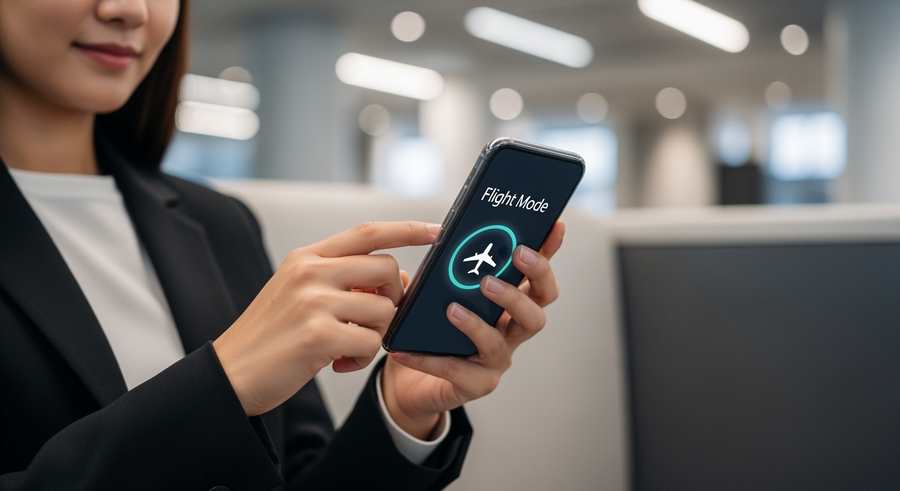
Understanding Flight Mode Features
You’ve likely seen the little aeroplane icon in your phone’s settings, but what is Flight Mode on a phone, really? Flight Mode, which is also called Aeroplane Mode, is a setting on your mobile phone or smart device that, when activated, suspends its radio-frequency (RF) signal transmission capabilities. This means it stops the device from sending or receiving signals that are used for communication.
So, to answer the question “what is flight mode on my phone?”, it’s a simple toggle that disconnects your device from all wireless connections without you having to turn it off completely. This includes the cellular network (for calls and mobile data), Wi-Fi, and Bluetooth. Your phone remains on and functional for any tasks that don’t require a signal.
Summary
This guide explains everything you need to know about Flight Mode (or Aeroplane Mode) on your mobile phone. You’ll learn what it is, why it’s useful beyond just flying, and what you can and can’t do when it’s enabled. We also cover how to turn it on for different devices and answer some common questions you might have about this handy feature.
TLDR
- Flight Mode disconnects your phone from cellular, Wi-Fi, and Bluetooth signals without turning it off.
- You can use it to comply with airline rules, save battery, fix connection problems, or avoid distractions.
- While in Flight Mode, you can still use offline apps, listen to downloaded music, and use your alarm.
- You can often turn Wi-Fi and Bluetooth back on manually while Flight Mode stays active.
📑 Table of Contents
What is Flight Mode Used For?
While its name suggests a single purpose, Flight Mode has several practical uses in your day-to-day life. It’s more than just a setting for when you’re in the air. Here are the main reasons you might want to use it:
- Air Travel Compliance: The primary reason for its creation was for complying with airline safety regulations. Aviation authorities have historically required electronic devices to have their transmitting functions disabled to prevent any potential interference with the aircraft’s sensitive navigation and communication systems.
- Battery Conservation: When your phone has a weak or no signal, it uses a lot of power constantly searching for a network to connect to. Enabling Flight Mode stops this search, which can help you save significant battery life, especially when you’re in a remote area, underground, or simply want to stretch your charge for a few more hours.
- Troubleshooting Connectivity: If you’re having trouble connecting to your mobile network or Wi-Fi, a classic IT fix is to “turn it off and on again”. Toggling Flight Mode on for about 30 seconds and then off again forces your phone to re-establish its connections to cellular and Wi-Fi networks, which can often resolve minor signal issues.
- Focus and Privacy: Flight Mode is an effective way to create an interruption-free zone. If you want to use your phone for an offline task like reading a book, listening to music, or playing a game without being disturbed by calls, texts, or notifications, it acts as a powerful “Do Not Disturb” function, ensuring you won’t be distracted.
Which Functions Work While in Flight Mode?
Activating Flight Mode doesn’t turn your phone into a paperweight. Many of its core features remain fully functional because they don’t rely on a network signal. Here’s a look at what you can still do:
✅ Offline Capabilities
Your phone’s local storage and internal hardware work just fine. You can:
- Listen to offline music or podcasts you’ve already downloaded.
- Watch movies and TV shows saved to your device.
- Use the alarm clock, calculator, and calendar (for non-synced events).
- Read e-books and take notes.
- Play offline mobile games.
- View photos and videos stored in your gallery.
📡 Re-enabling Specific Connections
A common misconception is that all connections are blocked permanently. However, on most modern smartphones, you can manually re-enable Wi-Fi and Bluetooth even after Flight Mode is turned on.
💡 Pro Tip: This is incredibly useful on planes that offer in-flight Wi-Fi. You can switch on Flight Mode to comply with regulations, then turn on just your Wi-Fi to browse the internet. You can also connect to Bluetooth headphones or a keyboard in the same way.
How to Enable Flight Mode on Different Devices
Activating Flight Mode is designed to be quick and easy across all devices. The setting is universally represented by an aeroplane symbol, so it’s easy to spot. Here’s how you can find it on the most common platforms.
What is Flight Mode on Samsung and Android Phones?
For most Android phones, including Samsung devices, the process is straightforward:
- Swipe down from the top of your screen to open the Quick Settings panel. You may need to swipe down a second time to see all the icons.
- Look for the aeroplane icon.
- Tap the icon to enable Flight Mode. It will light up, and you’ll see a small aeroplane symbol in your status bar at the top of the screen.
On Samsung and other Android devices, this will immediately disable all calls, texts, and mobile data services.
Enabling Flight Mode on iOS (iPhone)
For iPhone users, the steps are just as simple:
- Open the Control Centre. On an iPhone with Face ID, swipe down from the top-right corner. On an iPhone with a Home button, swipe up from the bottom of the screen.
- Find the aeroplane icon.
- Tap the icon. It will turn orange (or another highlight colour depending on your iOS version) to show it’s active.
You’ll notice the carrier signal bars in the top-left corner of your screen are replaced by the same aeroplane icon.
What is Flight Mode on a Hearing Aid?
Modern hearing aids are advanced devices, many of which use Bluetooth to connect to smartphones for streaming audio or for remote control adjustments via an app. Because they transmit wireless signals, they also need a way to comply with flight regulations.
- Hearing Aid Flight Mode:
- This is a special setting that disables the wireless (Bluetooth) functions of the hearing aid.
- What It Does:
- It stops the device from streaming audio or communicating with your phone, but it does not turn the hearing aid off. The core function of amplifying sound to help you hear your surroundings remains active.
Frequently Asked Questions (FAQ)
Does the alarm still work in Flight Mode?
Yes, absolutely. Your phone’s alarm clock is a core function that runs locally on the device’s internal clock. It does not need any network connection to work, so you can rely on it to wake you up even when Flight Mode is enabled.
What is Flight Mode in Battlefield 6?
This is a completely different topic and a great example of how the same term can mean different things. When people search for “Flight Mode in Battlefield 6”, they are actually referring to a server setting or a feature within the Portal editor of the video game *Battlefield 2042* (which was often referred to as BF6 before its release). This game setting allows players to change the physics and behaviour of aircraft in a custom match and has no connection to the setting on your mobile phone.
What is Flight Mode in “Fight or Flight”?
This term comes from the field of psychology, not technology. The “fight-or-flight” response is the body’s physiological reaction to a perceived threat or stressful situation. It triggers the release of hormones like adrenaline, preparing your body to either confront (“fight”) or flee from (“flight”) danger. It is entirely unrelated to the Aeroplane Mode setting on your electronic devices.
Can I receive calls when Flight Mode is on?
No. When Flight Mode is active, your phone’s cellular radio is turned off, meaning it cannot connect to your mobile network provider. As a result, you cannot make or receive phone calls or SMS texts. Anyone who tries to call you will be sent directly to your voicemail, just as if your phone were switched off.
Written by
Ruby Walker
