

Discover how contactless payments work in our 2026 guide. Learn how to set up tap to pay on your phone, stay secure, and control your digital budget.
What Is a Contactless Payment? 2026 Ultimate Guide
What Is a Contactless Payment? 2026 Ultimate Guide
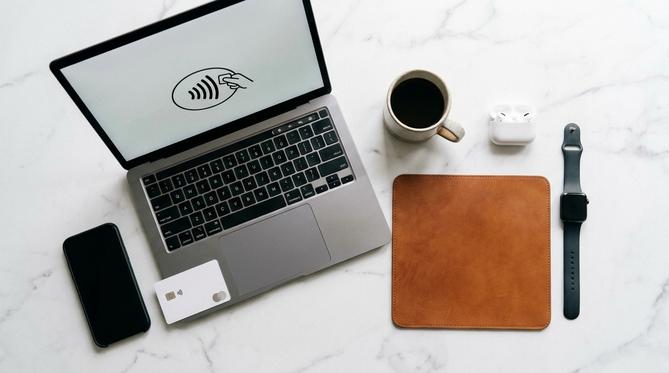
What Is a Contactless Payment? Your Ultimate Guide for 2026
A contactless payment is a fast and secure way to pay for goods and services by tapping your card or smartphone on a card reader. This guide covers everything you need to know about how tap to pay works, device setup, limits, and safety. We will also explain NFC (Near Field Communication) – the technology that makes it happen – in simple terms so you can check out with confidence.
Summary
If you want to speed up your checkout process, contactless payments let you pay with a simple tap. You can use your physical card, iPhone, or Android device to make secure purchases without entering a PIN for everyday amounts.
TLDR
- Contactless payments are fast, secure, and easy to use.
- You can pay by tapping your card, phone, or smart watch.
- NFC technology protects your data during the transaction.
- Most everyday purchases fall under the contactless payment limit.
📋 Table of Contents
In this 2026 guide, you will learn how to set up and use contactless payments on your devices.
- What Is a Contactless Payment?
- How Contactless Payments Work
- How to Make Contactless Payments on Your Phone
- Are Contactless Payments Safe?
- Contactless Payment Limits and Fees in 2026
- Why Is My Contactless Payment Not Working?
- How to Accept Contactless Payments for Small Business
- Frequently Asked Questions (FAQ)
- Manage Your Digital Budget with Recharge
What Is a Contactless Payment?
A contactless payment is a transaction made by tapping a compatible card or device near a payment terminal. You do not need to insert a card or enter a PIN for most everyday purchases. This payment method includes tap-to-pay credit and debit cards, digital wallets like Apple Pay and Google Wallet, and even wearables like smart watches.
Instead of swiping or inserting your payment card, you simply hold it close to the card reader. It is a helpful and uncomplicated way to pay for your morning coffee, train ticket, or groceries.
How Contactless Payments Work
NFC contactless payments rely on radio frequency identification (RFID) and near-field communication (NFC) technology. These systems allow your card or phone to share payment information securely with the store’s card reader over a very short distance.
🤝 Think of it like this: It is like a digital handshake between your phone and the payment terminal. They quickly verify each other and process the payment safely.
How Long Do Contactless Payments Take to Process?
Contactless payments take just a few seconds to process. Because there is no need to enter a PIN or sign a receipt for standard amounts, it is one of the fastest ways to check out.
How to Make Contactless Payments on Your Phone
Using contactless payments on your phone is incredibly convenient. You can leave your physical wallet at home and still pay for everything you need. Here is how to set it up.
Contactless Payments on iPhone (Apple Pay)
Apple Pay makes it easy to pay with your iPhone or Apple Watch. Follow these simple steps:
- 📱 Step 1: Open the Wallet app on your iPhone.
- ➕ Step 2: Tap the plus sign (+) in the top right corner.
- 💳 Step 3: Scan your physical card or enter the details manually.
- ✅ Step 4: Verify your card with your bank. You are ready to tap and pay.
Contactless Payments on Android and Samsung
If you use an Android device, Google Wallet and Samsung Pay offer the same fast experience.
📲 Google Wallet
Download the app, tap “Add to Wallet”, and follow the prompts to add your payment card.
⌚ Samsung Pay
Open the Samsung Pay app, tap “Add”, and scan your card to get started.
Are Contactless Payments Safe?
Yes, contactless payments are highly secure. They use a process called tokenization. This means your actual card details are never shared with the store. Instead, the system creates a unique, one-time code for every transaction. Even if someone intercepts the code, they cannot use it again.
Can Contactless Cards Be Skimmed, Cloned, or Hacked?
While scanning a card in someone’s pocket is theoretically possible, it is highly unlikely in 2026. Built-in encryption and the need to be extremely close to the reader (usually within a few centimeters) make cloning or hacking very difficult. Plus, banks have strong fraud protection in place to keep your money safe.
Is Tapping Your Card Safer Than Inserting a Chip?
Both methods are highly secure, but tapping your card has a unique advantage. When you tap to pay, you avoid card skimmers that criminals sometimes insert into physical machines. Your card never leaves your hand, giving you extra peace of mind.
Contactless Payment Limits and Fees in 2026
To protect your funds, banks set limits on how much you can spend in a single tap without verifying your identity.
What Is the Limit for Contactless Payments?
The contactless payment limit varies by country. For example, in the UK, the limit for a single tap is typically £100. In the US, practices vary by bank, but many allow larger amounts. When you exceed the contactless payment limit, you simply have to enter your PIN on the terminal or use biometric unlock (like Face ID or fingerprint) on your phone.
Is There a Charge for Contactless Payments?
No, consumers generally do not pay extra fees for using tap to pay. It costs the same as inserting your chip or swiping your card.
Why Is My Contactless Payment Not Working?
It can be frustrating when a payment fails. If your tap to pay is not working, here are the most common reasons and how to fix them:
❌ NFC is turned off:
Check your Android settings to ensure NFC is active.
Check your Android settings to ensure NFC is active.
💳 Card damage:
The hidden antenna inside your physical card might be broken.
The hidden antenna inside your physical card might be broken.
🔒 Consecutive tap limit:
For security, you may need to insert your card and enter a PIN after a certain number of taps.
For security, you may need to insert your card and enter a PIN after a certain number of taps.
📉 Lack of funds:
Verify your balance to ensure you have enough money.
Verify your balance to ensure you have enough money.
🔌 System down today:
The store’s payment terminal might be experiencing a temporary network issue.
The store’s payment terminal might be experiencing a temporary network issue.
How to Accept Contactless Payments for Small Business
If you run a small business or work as a freelancer, accepting digital payments is essential in 2026. It makes checking out fast and keeps your customers happy.
Take Card Payments on Your Phone
You no longer need bulky hardware to accept payments. With Tap to Pay on iPhone and Android, businesses can accept payments directly on their smartphones. Customers simply tap their card or phone against your device, and the payment processes securely.
Using Mobile POS Systems
If you prefer dedicated hardware, affordable card readers like SumUp are a great alternative. These mobile POS systems connect to your phone or tablet via Bluetooth, allowing you to take wireless payments anywhere.
Frequently Asked Questions (FAQ)
Do you need the internet for contactless payments?
No, physical cards do not need the internet to work. Phones can also make a limited number of offline payments, though they eventually need an internet connection to refresh their security tokens.
Can you use contactless payments on the London Underground or Paris Metro?
Yes, transit systems widely accept tap to pay. Using a contactless card is often cheaper or equal to using dedicated transit cards like an Oyster card, as it caps at the same daily rate.
What are the disadvantages of contactless payments?
Because it is so fast, it can be easier to overspend and lose track of your budget. There is also a small risk that if you lose your card, someone could make small purchases before you freeze your account.
Manage Your Digital Budget with Recharge
If you want to enjoy the convenience of tap to pay while keeping strict control over your spending, Recharge is here to help. You can buy prepaid payment cards – like a prepaid Mastercard or Visa – directly on our global platform and easily add them to your Apple Pay or Google Wallet.
Recharge is the fastest and most secure way to control your budget and protect your privacy. You get to enjoy contactless payments without linking your primary bank account to your phone. With over 16,000 products available and 99.9% of orders delivered in 20 seconds, we make prepaid easy.
Written by
Conor Byrne

