

Learn how to preload Battlefield 6 on Steam ahead of the 2026 launch. Find out how early downloads work so you’re ready to play the minute the game drops.
What Does Preload Mean on Steam? | Battlefield 6
What Does Preload Mean on Steam? | Battlefield 6
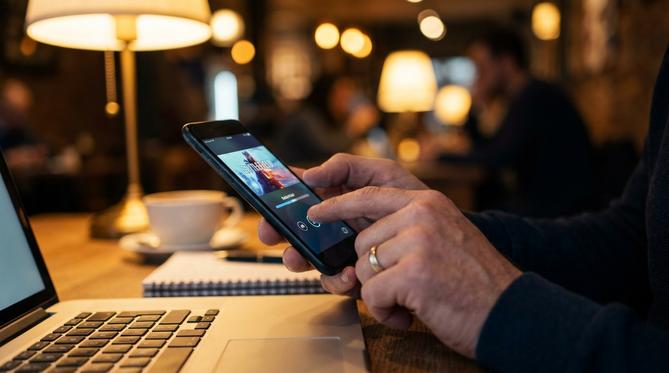
What Does Preload Mean on Steam?
Preloading on Steam means downloading the majority of a game’s files before its official release date. If you are wondering how does Steam preload work, it is very simple. The platform lets you download the heavy game files early, but keeps them locked with encryption. Think of it as a digital lock that automatically opens on release day. This way, you do not have to wait hours for a massive download to finish when the game finally launches.
Summary
You can preload Battlefield 6 on Steam by pre-purchasing the game, going to your Steam Library, and clicking the Preload button once the publisher enables it ahead of the 2026 launch. This guide explains how to get your game files ready early so you can skip the wait and play the moment the game drops.
TLDR
- Pre-purchase the game on Steam.
- Wait for the publisher to open the preload window (usually 24 to 48 hours before the 2026 launch).
- Open your Steam Library and find the game.
- Click the blue Preload button to download the encrypted files.
🎮 Table of Contents
How to Preload Games on Steam
To preload games on Steam, you need to pre-purchase the title and wait for the publisher to open the preload window. Many players ask, can you preload on Steam? Yes, you absolutely can, as long as the game developer enables the feature. This is a great way to save time, especially if you are taking advantage of student discounts on gaming to grab the title early.
If you want to know how do I preload a game on Steam, just follow these fast steps:
- Open the Steam app on your computer.
- Go to your Library at the top of the screen.
- Find your pre-purchased game in the list.
- Click the blue Preload button where the Install button usually sits.
How to Preload Battlefield 6 on Steam
To preload Battlefield 6 on Steam, secure your pre-order and check your Library a few days before the official 2026 release date. EA traditionally allows early downloads for their major releases, so if you are wondering can you preload Battlefield 6 on Steam, the answer is yes.
💡
When can I preload Battlefield 6 on Steam? Preloads usually start 24 to 48 hours before the official launch time. Keep an eye on community announcements for the exact hour.
Learning how to preload Battlefield 6 in Steam ensures you do not waste launch day watching a download bar. Once the files are on your drive, Steam will quickly unpack them the second the game goes live.
Preloading the Battlefield 6 Open Beta
To preload the Battlefield 6 open beta, search for the beta client in the Steam store or claim your early access key. The beta is usually a separate download from the main game.
If you want to know how to preload Battlefield 6 beta early access, you typically need to pre-order the full game or have an active EA Play subscription. Once you meet the requirements, search for the beta in the Steam store, add it to your account, and hit the preload button. This answers the common question: can you preload Battlefield 6 beta on Steam? Yes, and it works exactly like preloading a full game.
Where Are Steam Preload Files Located?
Steam preload files are located in a hidden folder within your main Steam directory. If you want to check your Steam preload files location, you can find them on your PC here:
C:\Program Files (x86)\Steam\steamapps\depotcache
🛡️
Safe to ignore: You do not need to touch, move, or open these files. They are heavily encrypted. Just leave them alone, and Steam will automatically unpack and move them to your main game folder when the 2026 launch time arrives.
Frequently Asked Questions (FAQ)
Can you pre-download Battlefield 6 Battle Royale?
Yes, if the Battle Royale mode is included in the main game client for the 2026 release, it will download automatically with your preload. If EA releases it as a standalone free-to-play mode, you will need to preload it separately from the Steam store.
Can I download Battlefield 6 on Steam?
Yes, you can download Battlefield 6 on Steam. While you will still need to link an EA account to play, the entire download and update process happens directly and safely through the Steam app.
Get Ready for Battlefield 6 with Steam Gift Cards
Top up your Steam Wallet today so you can play Battlefield 6 the minute it drops. Using a prepaid card is the fastest and most secure way to keep your money in control.
When you use a Steam Gift Card, you get instant delivery to your email. This means you can easily fund your account, pre-purchase the game, and manage your gaming budget without ever linking a personal credit card to your Steam profile. Enjoy the fastest delivery time for prepaid products and secure your game today.
Written by
Conor Byrne


