

Learn how to preload Battlefield 6 on Steam for the 2026 launch. Follow our simple guide to download game files early, access the beta, and play instantly.
How to Preload Battlefield 6 on Steam in 2026
How to Preload Battlefield 6 on Steam in 2026
How to Preload Battlefield 6 on Steam in 2026
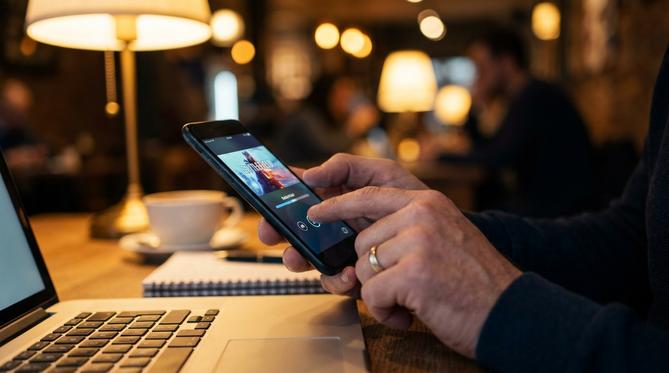
To preload Battlefield 6 on Steam, you need to purchase the game, go to your Steam Library, and click the Preload button where the Install button usually appears. This guide explains how to preload Battlefield 6 on Steam, what preloading means, how to access beta versions, and where to find your downloaded files. You will learn everything you need to know to get ready for launch day.
Summary: You can prepare for the 2026 launch by downloading the game files early. This ensures you are ready to play the moment the servers go live. You just need to buy the game, locate it in your library, and start the download a few days before release.
TLDR:
- Purchase Battlefield 6 on Steam.
- Open your Steam Library and select the game.
- Click the Preload button.
- Wait for the official 2026 launch to play.
🎮 Table of Contents
What Does Preload Mean on Steam?
Preload on Steam means downloading the bulk of a game’s files before the official release date. This feature lets you skip the massive download on launch day, ensuring you have fast access to play the moment the game launches in 2026.
How Does Steam Preload Work?
Steam preload works by downloading encrypted game files directly to your computer. Once the official 2026 launch time hits, Steam decrypts the files, downloads a small final patch, and makes the game playable.
💡 Tip: This decryption process is automatic. You simply wait a few minutes for Steam to unpack the data before you jump right into the action.
Can You Preload Games on Steam?
Yes, you can preload games on Steam, provided the game developer enables the feature. Most major releases, including Battlefield 6, offer this option to help manage server load and get players into the game faster. If you are wondering if you can preload on Steam for other titles, just check the store page announcements closer to their release dates.
How to Preload Games on Steam
In order to preload games on Steam, you need to follow a few simple steps. The process is identical for almost every major release on the platform.
- Purchase the game or redeem a game key on your Steam account.
- Navigate to your Steam Library.
- Select the game from your list.
- Click the Preload button located where the Install button usually is.
- Wait for the download to finish.
How to Preload Battlefield 6 on Steam
To learn how to preload Battlefield 6 in Steam, just follow the standard Steam preload process. Ensure you have enough storage space on your hard drive for the massive 2026 game files. Once purchased, find Battlefield 6 in your Library and hit that Preload button.
When Can I Preload Battlefield 6 on Steam?
You can usually preload Battlefield 6 on Steam 24 to 48 hours before the official 2026 launch. The publisher, EA, will announce the exact dates and times on their official social channels and the Steam store page.
How to Preload Battlefield 6 Beta on Steam
To figure out how to preload Battlefield 6 beta on Steam, you first need to know which beta phase you are joining. For the closed beta, you usually need to pre-order the game to get access. Once you do, the beta client appears in your Steam Library ready for preload. If you want to know how to preload Battlefield 6 open beta on Steam, simply search for the Battlefield 6 Beta in the Steam store and click “Request Access” or “Play Game” to add it to your library and start the download.
Steam Preload Files Location
The Steam preload files location is typically found in your Steam directory under the “depotcache” folder. On a standard Windows PC, the path looks like this:
C:\Program Files (x86)\Steam\steamapps\depotcache
Do not modify or move these encrypted files. Doing so will corrupt your game and force you to redownload everything before the 2026 launch.
Frequently Asked Questions (FAQ)
Can you pre-download Battlefield 6 Battle Royale?
Whether the rumoured 2026 Battle Royale mode is a separate download or included in the main game preload depends on EA’s release strategy, but it is expected to be part of the base game files.
How to preload Battlefield 6 beta early access?
You can preload Battlefield 6 beta early access by pre-ordering the game or redeeming a specific access code on Steam, which unlocks the beta client in your library.
Can I download Battlefield 6 on Steam?
Yes, you can download Battlefield 6 on Steam once you purchase it and the game officially releases or becomes available for preload.
How do I preload a game on Steam?
Navigate to your Steam Library, select the purchased game, and click the Preload button.
Gear Up for Battlefield 6 with Steam Gift Cards
Getting ready for the 2026 Battlefield 6 launch? Secure your copy without linking a credit card. Top up your Steam Wallet using a Steam Gift Card from Recharge.com. We deliver 99.9% of orders in 20 seconds, ensuring you get your funds instantly. Enjoy secure payments and strict privacy while managing your gaming budget.
Written by
Conor Byrne
