

Master the World of Warcraft map in 2026. Learn about Azeroth’s massive size in km, how to fix map display issues, and where to find interactive map tools.
World of Warcraft Map 2026: Size, Navigation & Fixes
World of Warcraft Map 2026: Size, Navigation & Fixes
Introduction
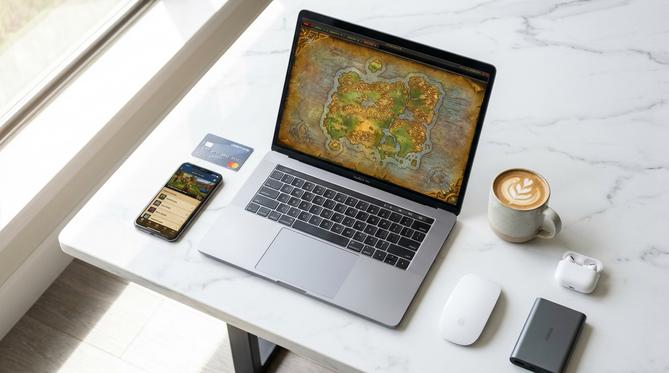
This guide covers everything you need to know about the world of warcraft map in 2026, exploring its massive scale, in-game features, and how to troubleshoot common display issues. WoW (World of Warcraft) is a sprawling MMORPG, and navigating its vast continents can be daunting. We have summarized the entire text clearly and descriptively, noting that the article covers the map’s size in kilometres, essential user interface tools, troubleshooting tips for missing maps, and where to find external map tools or physical posters.
Summary
In this guide, you will discover everything you need to know about navigating Azeroth in 2026. You will learn how to fix map display issues, understand the sheer scale of the game world in kilometres, and find out how to get physical posters for your gaming centre.
TLDR
- You can fix map display issues by disabling outdated add-ons or clearing your cache.
- You will explore a massive world that spans hundreds of square kilometres.
- You can use interactive tools and add-ons to find precise coordinates and city locations.
- You will find out where to download interactive maps or buy physical posters.
🗺️ Here is what you will find in this guide:
- ➔ What is the World of Warcraft Map Called?
- ➔ How Big is the World of Warcraft Map with All Expansions?
- ➔ Navigating the World of Warcraft Map In Game
- ➔ How to Fix the World of Warcraft Map Not Showing
- ➔ Finding a World of Warcraft Map Download and Interactive Tools
- ➔ Experiencing the World of Warcraft Map in Other Games
- ➔ Frequently Asked Questions (FAQ)
- ➔ Level Up Your Adventure with a Battle.net Gift Card
What is the World of Warcraft Map Called?
The World of Warcraft map is called Azeroth, which serves as the primary planet and setting for the game. Over the past two decades, this universe has seen continuous expansion. The world of warcraft map of azeroth has grown from a few isolated continents into a sprawling cosmic landscape, leading directly up to the highly detailed world of warcraft map 2026. You will find that Azeroth is not just a single landmass, but a collection of diverse regions, hidden islands, and newly discovered subterranean zones that continue to evolve with every major content update.
How Big is the World of Warcraft Map with All Expansions?
With all expansions included, the World of Warcraft map is incredibly vast, spanning multiple continents, alternate dimensions, and entirely different planets. When players ask how big is world of warcraft map or how large is world of warcraft map, the answer reflects over twenty years of continuous development. The world of warcraft map size has grown massively from the base game’s two original continents to a colossal network of zones in the modern era.
World of Warcraft Map Size in KM
While exact measurements can vary based on movement speed calculations, the world of warcraft map size in km is estimated to be well over 1,200 square kilometres of playable space as of 2026. This massive scale ensures that travelling from one end of a continent to another on foot would take hours of real-world time.
World of Warcraft Map Size Comparison
To truly understand this scale, a world of warcraft map size comparison is helpful. Compared to other popular open-world games, Azeroth dwarfs many modern titles. For instance, it is significantly larger than the landmasses found in games like The Witcher 3 or Skyrim, and rivals the real-world size of small countries or massive metropolitan areas.
Navigating the World of Warcraft Map In Game
Navigating the world of warcraft map in game requires a good understanding of the user interface. By simply pressing the ‘M’ key, you open the main map, which provides a bird’s-eye view of your current continent and zone.
World of Warcraft Map Classic vs. The War Within
There is a stark contrast between the original world of warcraft map classic (which primarily featured the continents of Kalimdor and the world of warcraft map eastern kingdoms) and the modern retail map. Today, players are exploring the newly added subterranean zones in the world of warcraft map the war within. The world of warcraft map war within expansion introduces verticality and multi-layered underground regions that completely change how you travel.
Using the World of Warcraft Map with Names, Levels, and Cities
📍 Navigation Filters
You can filter the interface to display a world of warcraft map with names and a world of warcraft map with cities, making it easier to locate quest hubs and vendors.
📈 Level Scaling
The map dynamically adjusts to show zone levels, acting as a world of warcraft map with levels to guide you on where to quest efficiently.
Finding Locations with the World of Warcraft Map with Coordinates
For precise travelling, players often rely on add-ons like TomTom. These community-created tools turn your standard interface into a world of warcraft map with coordinates, allowing you to pinpoint exact X and Y locations for rare enemies, hidden treasures, and specific quest objectives.
How to Fix the World of Warcraft Map Not Showing
In order to fix a world of warcraft map not showing, you need to troubleshoot your user interface and add-ons. Often, this issue is caused by outdated modifications after a major patch.
🛠️ Quick Troubleshooting Steps:
- Disable all outdated add-ons from your character select screen.
- Type
/reloadin the in-game chat box to refresh the UI. - Clear your game’s Cache folder in your installation directory.
Restoring a Missing World of Warcraft Mini Map
If you are dealing with a world of warcraft mini map not showing, the fix is usually straightforward. Check your interface settings to ensure the mini-map hasn’t been hidden by a UI overhaul add-on (like ElvUI). If the problem persists, resetting your UI to default settings will restore it.
Putting the World of Warcraft Map on a Second Monitor
Many hardcore players dream of putting the world of warcraft map on second monitor for continuous navigation. Since the native client doesn’t support this out of the box, you will need to use third-party tools or dual-boxing window management software to stretch the UI or display a live-updating web map on your alternate screen.
Finding a World of Warcraft Map Download and Interactive Tools
To find a world of warcraft map download, you should look towards trusted third-party websites like Wowhead. These platforms offer a comprehensive world of warcraft map interactive experience, allowing you to zoom in, toggle specific resources, and plan your routes outside of the game client.
Using a World of Warcraft Map Editor
- World of Warcraft Map Editor
- A world of warcraft map editor, such as Noggit or other community modding tools, allows users to open and explore game files. Enthusiasts use these editors to customise private server environments or simply to appreciate the intricate terrain design of Azeroth from a developer’s perspective.
Getting a World of Warcraft Map Poster for Your Wall
If you want to bring Azeroth into the real world, purchasing physical merchandise is a great option. Fans can easily find a high-quality world of warcraft map poster or a large canvas world of warcraft map for wall display through the Blizzard Gear Store or independent artists, perfect for decorating your gaming centre.
Experiencing the World of Warcraft Map in Other Games
Experiencing the World of Warcraft map in other games is possible through dedicated community mods and creative ports. The love for Azeroth extends far beyond Blizzard’s official servers.
World of Warcraft Map in Minecraft
One of the most impressive community projects is the recreation of the world of warcraft map in minecraft. Dedicated builders have spent years recreating iconic zones block by block, allowing players to explore a voxel-based version of Stormwind and Orgrimmar.
World of Warcraft Fortnite Map and Forces Map
In the battle royale space, players have used creative codes to design a world of warcraft fortnite map, bringing classic WoW points of interest into a completely different genre. Additionally, custom strategy maps, such as the world of warcraft forces map found in Warcraft III custom games, allow players to command armies across familiar territories in a top-down RTS format.
Frequently Asked Questions (FAQ)
Can you play WoW offline?
No, you cannot play WoW offline. World of Warcraft is an MMORPG that requires a constant internet connection to connect to Blizzard’s servers. If you are wondering can you play wow offline to explore the map solo, the official game does not support this feature.
Level Up Your Adventure with a Battle.net Gift Card
Whether you are buying the latest The War Within expansion, paying for your subscription to explore the fully updated 2026 map, or purchasing in-game mounts for faster travelling, a battle.net gift card is the absolute easiest way to fund your adventures in Azeroth. Grab one today to ensure your journey across this massive world never hits a roadblock!
Written by
Conor Byrne
