

Learn how to unlock your phone in Canada for free. Find out if your phone is already unlocked (most are since 2017) and get simple, step-by-step instructions for Rogers, Bell, Telus, and more.
Locked vs Unlocked Phones: How to Unlock for Free in Canada
Locked vs Unlocked Phones: How to Unlock for Free in Canada
Understanding Locked vs. Unlocked Phones
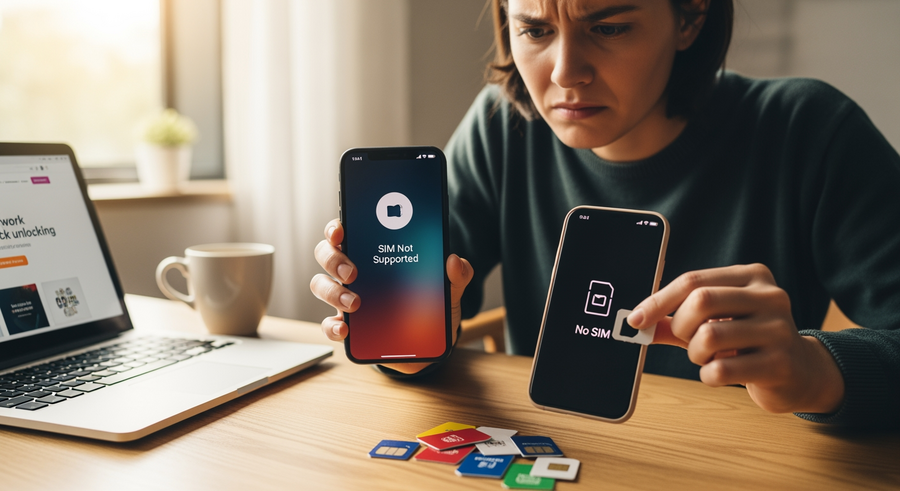
A “locked phone” is a mobile device that has software restrictions built into it by a specific carrier. This software, sometimes called a “SIM lock,” prevents you from using the phone on any other mobile network. For example, a phone locked to Rogers will not work if you insert a SIM card from Bell or Telus. Carriers historically did this to ensure you would stay with their service for the duration of a contract, effectively subsidizing the cost of the device. When you hear someone ask “what is an unlocked phone?”, they are referring to a device free from these restrictions.
The benefits of having a phone that is not a locked phone are significant, giving you more control over your device and mobile service. The main advantages include:
- Carrier Freedom: You have the flexibility to switch providers whenever you find a better plan or service, without needing to buy a new phone.
- Travel Savings: The ability to use local SIM cards when travelling internationally can save you a fortune on roaming charges.
- Increased Value: An unlocked phone typically has a higher resale value because it can be used by a buyer on any network.
Are Phones Locked to Carriers in Canada?
No, not anymore. Thanks to the Canadian Radio-television and Telecommunications Commission (CRTC) and its Wireless Code, the landscape for phone locking has changed dramatically. A key ruling that came into effect on December 1, 2017, mandated two major changes for all Canadian mobile consumers.
First, any new device sold in Canada after that date must be sold unlocked. This means if you purchased your phone from a Canadian carrier in 2018 or later, it is already unlocked. Second, for phones purchased before December 1, 2017, Canadian carriers are required to unlock them for their customers, free of charge, upon request. This has made phone unlock in Canada a straightforward and cost-free process for consumers, answering the question “are phones unlocked in Canada?” with a definitive yes for all current and eligible older devices.
Summary
This guide shows you how to unlock your phone from any carrier in Canada or the US. Thanks to a CRTC ruling, all phones sold in Canada since December 2017 are already unlocked, and carriers must unlock older phones for free. You can check if your phone is unlocked by inserting a different carrier’s SIM card or checking your phone’s settings. To unlock an older phone, you’ll need its IMEI number and an account in good standing. We’ll walk you through the specific, free processes for major Canadian and US carriers like Rogers, Bell, AT&T, and Verizon, as well as instructions for both iPhone and Android devices.
TLDR
- All phones sold in Canada since Dec 1, 2017, are already unlocked.
- Your Canadian carrier must unlock an older phone for free upon request.
- The easiest way to check if your phone is unlocked is to insert a SIM card from a different carrier.
- You’ll need your phone’s unique IMEI number (dial
*#06#to find it) to request an unlock from your carrier. - Unlocking your phone is legal and will not erase your data.
📑 Table of Contents
How to Tell if Your Phone is Unlocked
Before you try to unlock your phone, it’s a good idea to confirm its current status. If you bought your phone in Canada after 2017, it’s likely already unlocked, but it’s always best to check. Here are the most reliable ways to know if your phone is unlocked.
1. Try a Different SIM Card
This is the most definitive test. Borrow a SIM card from a friend who uses a different carrier. Turn off your phone, swap the SIMs, and turn it back on. If you can make a call or use cellular data, your phone is unlocked. If you see an error message like “SIM Not Supported” or “SIM Not Valid,” your phone is locked.
2. Check Your Settings
On iOS: Go to Settings > General > About. Scroll down to “Carrier Lock.” If it says “No SIM restrictions,” your iPhone is unlocked.
On Android: The path can vary. Look in Settings > Connections > Mobile networks > Network operators. If you can search for and see other available networks, your phone is likely unlocked.
3. Contact Your Carrier
You can always call your carrier’s customer support line. Provide them with your phone’s IMEI number, and they can tell you the lock status of your device directly from their system.
Prerequisites for Unlocking Your Phone
Before you contact your carrier for a device unlock, you need to have a few key pieces of information ready. Ensuring these prerequisites are met will make the process smooth and successful.
- Find Your IMEI Number
- The IMEI (International Mobile Equipment Identity) is a unique 15-digit code for your phone. It’s the primary identifier your carrier will use. The easiest way to find it is to open your phone’s dialer and type in
*#06#. The number will immediately appear on your screen. - Account in Good Standing
- Your account with the original carrier must be in good standing. This generally means you have no unpaid bills, and the device itself has been fully paid off. If you were on a financing plan, the balance must be zero.
- Not on a Blacklist
- The phone cannot have been reported as lost or stolen. If it has, it will be on a national blacklist and carriers will not unlock it. This is a security measure to deter theft.
💡 Tip: Keep your IMEI number written down somewhere safe. It’s the most crucial piece of information for any device-related support, including an unlock phone free with IMEI number request.
How to Unlock a Phone from Major Carriers (Canada & US)
While the process is generally free and consumer-friendly, the exact steps can differ slightly between carriers. Below are the instructions for the most common providers in Canada and the United States.
Unlocking Phones from Canadian Carriers (Rogers, Bell, Telus, Freedom)
Unlocking a cell phone in Canada is incredibly simple due to the CRTC rules. For devices purchased before December 2017, the process is free and usually takes only a few minutes.
- Rogers, Bell, & Telus: The most common method is to call their customer support line. Once they verify you are the account holder and the account is in good standing, they can often process the unlock “over the air” for iPhones or provide you with an unlock code for Android devices.
- Freedom Mobile & Others: Many providers, including Freedom, allow you to request an unlock directly through your online “My Account” portal, saving you a phone call. Check your carrier’s website for a self-serve device unlock option.
Key Takeaway: Wondering how much does it cost to unlock a phone in Canada? The answer is always $0. It is free. Do not pay any third-party service for something your carrier is legally required to do for free.
AT&T Unlock Request Process
If you have a phone from the US, the process is still free but has more eligibility requirements. To unlock a phone from carrier AT&T, you must use their official portal.
- Visit the Portal: Go to the official AT&T Device Unlock Portal online.
- Submit Your Request: You’ll need to enter your phone’s IMEI and confirm you meet the eligibility criteria (e.g., the device is paid off, has been active on their network for a certain period, and the account is in good standing).
- Wait for the Email: After submitting, you will receive a confirmation email. Click the link inside within 24 hours to finalize your request. AT&T will then process it and send another email with the unlock instructions, usually within two business days.
T-Mobile and Sprint Unlocking
T-Mobile (which has merged with Sprint) has streamlined its unlocking process, often making it automatic.
- Android Devices: Many newer T-Mobile Android phones come with a “Device Unlock” app pre-installed. If your device is eligible, you can simply open the app and request a “Permanent Unlock.”
- iPhones: For iPhones, the process is automatic. Once your device meets the eligibility requirements (e.g., 40 days on their network, fully paid off), T-Mobile remotely sends the unlock request to Apple’s servers. You don’t need to do anything.
Verizon Unlocking Policy
Verizon has the most straightforward policy among US carriers. To help prevent theft, they lock new phones to their network for a short period after purchase.
- 60-Day Auto-Unlock: All phones purchased from Verizon or their authorized retailers are automatically unlocked 60 days after activation. You do not need to take any action.
- What if it’s still locked? If for some reason your Verizon unlock phone process doesn’t happen automatically after 60 days, you can contact their customer support by dialing *611 from your device, and they will resolve it manually.
Unlocking from MVNOs (Straight Talk, Cricket, etc.)
Smaller carriers, known as Mobile Virtual Network Operators (MVNOs), have their own specific unlock policies, which are often stricter.
Cricket Wireless
To unlock a phone from carrier Cricket, the device must have been active on their network for at least six months of paid service. The easiest way to request an unlock is through the myCricket app on your device.
Straight Talk
Straight Talk requires a phone to have been active on their service for 12 months. After this period, you can call their customer care centre to request the unlock code and instructions.
Specific Instructions by Device Manufacturer
The final step of the unlocking process can vary slightly depending on whether you have an iPhone or an Android device. The main difference is the use of an unlock code.
How to Unlock an iPhone
Unlocking an iPhone from a carrier is a unique process because iPhones do not use unlock codes. The entire process is handled digitally between the carrier and Apple.
- Carrier Request: You contact your carrier, and they approve the unlock request.
- Apple Server Update: Your carrier informs Apple to remove the lock from your iPhone’s serial number in their global activation database.
- Finalize the Unlock: Once you receive confirmation, you can complete the process by inserting a new SIM card from a different provider. If that doesn’t work, a backup and restore of your device through a Mac (Finder) or PC (iTunes) will finalize the unlock.
How to Unlock Samsung and Android Devices
Unlocking a cell phone like a Samsung or other Android device typically involves a code, often called a Network Unlock Code (NUC) or Master Subsidy Lock (MSL).
Simple Steps to Unlock Your Android Phone:
- Obtain the Code: Contact your original carrier to get your free unlock code.
- Insert a New SIM: Power off your device and insert a SIM card from a different (non-original) carrier.
- Enter the Code: Power the phone back on. A prompt should automatically appear on the screen asking for the “SIM network unlock PIN” or similar.
- Confirm: Carefully type the code your carrier provided and tap “Unlock.” Your device is now permanently unlocked.
Frequently Asked Questions (FAQ)
How much does it cost to unlock a phone?
In Canada, it is completely free. The CRTC’s Wireless Code mandates that all Canadian carriers must unlock eligible phones at no charge. In the US, it is also free if you meet the carrier’s eligibility requirements (e.g., the phone is paid off). You should only ever pay a fee if you use a third-party unlocking service, which is generally not recommended.
Can I unlock my phone myself for free?
Yes. The best and safest way to unlock your phone for free is by contacting the original carrier directly. They are equipped to provide you with the necessary code or process the unlock remotely. Avoid third-party websites that charge for this service, as they can be unreliable and insecure.
Is it legal to unlock a phone?
Yes, it is 100% legal to unlock your phone in both Canada and the United States. In Canada, it’s protected under the CRTC’s Wireless Code. In the US, the Unlocking Consumer Choice and Wireless Competition Act ensures consumers have the right to unlock their devices once they have fulfilled their contract terms.
Will unlocking my phone erase my data?
No, it will not. The unlocking process simply removes the network software restriction. It does not affect your personal data, apps, photos, or settings. It is not the same as a factory reset. Your information will remain safe and intact on your device.
What is a “factory unlocked” phone?
A factory unlocked phone is a device that was sold without a carrier lock from the very beginning. These phones are typically purchased directly from the manufacturer, such as from an Apple Store, Samsung Experience Store, or Google Store. They have never been tied to a specific network and can be used with any compatible carrier right out of the box.
Written by
Conor Byrne
