

Discover how contactless payments work in 2026. Learn to set up tap-to-pay on your phone, check limits, and use prepaid cards for secure budget control.
How Contactless Payments Work in 2026 | Tap to Pay
How Contactless Payments Work in 2026 | Tap to Pay
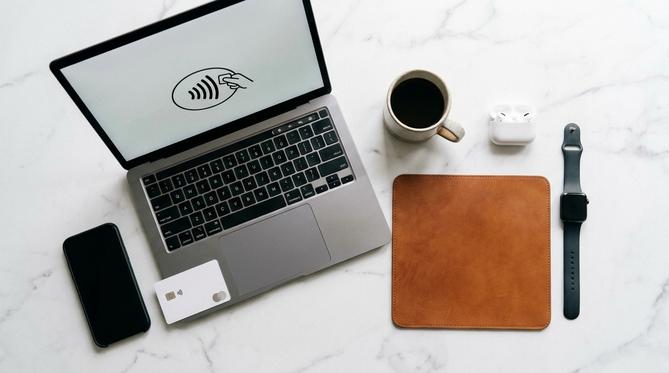
What Are Contactless Payments and How Do They Work in 2026?
Contactless payments are changing the way we shop in 2026. Whether you’re buying a coffee or paying for transit, tapping your phone or card is the new normal. As we embrace this fast and simple technology, you might wonder about security. Are there signs your phone is hacked? What about digital scams to watch out for? This guide covers everything you need to know about tap-to-pay, how to set it up, and how to stay secure.
What Is a Contactless Payment?
A contactless payment is a fast, safe, and simple way to pay for goods and services without swiping or inserting a card. You just tap your credit card, debit card, prepaid card, or mobile wallet – like Apple Pay or Google Wallet – against a payment terminal. It’s a secure shortcut in your digital life that helps you control your budget and protect your privacy.
Summary
In this guide, you’ll learn exactly how contactless payments work, how to set them up on your mobile devices, and how to troubleshoot common issues. You’ll also discover the tap limits for 2026 and how to keep your personal data safe while tapping to pay.
TLDR
- Contactless payments use secure radio waves to process transactions instantly.
- You can easily set up Apple Pay or Google Wallet on your phone.
- Tap limits in Canada for 2026 are generally around $250 CAD before you need a PIN.
- Using a prepaid card with your digital wallet adds an extra layer of privacy and budget control.
📋 Table of Contents
- ➔ How Do Contactless Payments Work?
- ➔ How to Set Up Contactless Payments on Your Phone
- ➔ What Is the Limit for Contactless Payments?
- ➔ How to Take Contactless Payments for Small Business
- ➔ Troubleshooting: Why Are My Contactless Payments Not Working?
- ➔ Frequently Asked Questions (FAQ)
- ➔ Simplify Your Digital Life with Recharge
How Do Contactless Payments Work?
Contactless payments work by using Near Field Communication (NFC) technology. This means your card or phone uses radio waves to securely share payment details when it’s close to the machine.
- NFC (Near Field Communication)
- A short-range wireless technology that lets your phone and the payment terminal talk to each other safely.
Your data is encrypted, making it incredibly safe for everyday digital life. The process takes just a second, removing friction from your checkout experience.
How to Set Up Contactless Payments on Your Phone
Setting up tap-to-pay on your smartphone is a quick process. Adding a prepaid card or standard bank card to your digital wallet gives you ultimate convenience and budget control.
How to Make Contactless Payments with iPhone
To make contactless payments with an iPhone, you need to add your card to Apple Wallet.
- Open the Wallet app on your iPhone.
- Tap the plus sign to add a new card.
- Follow the screen prompts to verify your details.
- Once verified, you’re ready to tap and pay.
How to Make Contactless Payments with Android
To set up contactless payments on Android, you need to use Google Wallet or Samsung Pay.
- Download and open the Google Wallet app.
- Tap “Add to Wallet” and select “Payment card”.
- Enter your card information and verify it with your bank.
- Turn on NFC in your phone settings to start tapping.
What Is the Limit for Contactless Payments?
The standard limit for contactless payments in Canada for 2026 is typically around $250 CAD, depending on your bank.
💡 Tip for budgeters: You might wonder how many contactless payments you can make before needing a PIN. For your security, terminals will occasionally ask you to insert your card and enter your PIN after a certain number of taps. This keeps your funds safe if your card is ever lost.
How to Take Contactless Payments for Small Business
To accept contactless payments as a small business, you can use modern smartphones instead of bulky hardware. In 2026, features like Tap to Pay on iPhone and Android allow you to turn your device into a secure payment terminal.
You just need a supported payment app to start accepting customer cards and digital wallets safely and quickly. This removes the hassle of setting up complex payment systems.
Troubleshooting: Why Are My Contactless Payments Not Working?
If you’re wondering why your contactless payments are down today or not working on your phone, the solution is usually simple. Here’s how you can get back to tapping quickly:
💳 You reached your tap limit and need to enter a PIN.
⚙️ Your phone’s NFC feature is turned off in the settings.
🔌 The store’s card reader is offline or broken.
📱 Your phone case is too thick and blocks the NFC signal.
Frequently Asked Questions (FAQ)
What does NFC mean for mobile payments?
NFC means Near Field Communication. It’s the technology that allows your phone and the payment machine to talk to each other safely.
Can you make a contactless payment without the internet?
Yes, you can make a contactless payment without an internet connection on your phone. Your digital wallet stores the encrypted payment tokens offline.
Can you make a contactless payment without NFC?
No, you cannot make a true tap-to-pay transaction without NFC technology. However, you can use alternatives like scanning a QR code with apps like PayPal.
How long do contactless payments take to process?
Contactless payments process almost instantly. They usually take just one to two seconds to approve at the checkout.
Can you use contactless payments for public transit?
Yes. In 2026, you can tap your phone or card to pay for transit systems globally. This includes local Canadian bus networks, the London Underground, and the Paris Metro.
Simplify Your Digital Life with Recharge
Buying a prepaid credit card on Recharge.com and adding it to your mobile wallet is the safest way to control your budget. It protects your privacy while you use contactless payments every day. We make prepaid easy so you can shop with confidence.
Written by
Conor Byrne
