

Discover the best Pocket WiFi for your trip to Japan. Our 2026 guide compares top rental companies, costs, and data plans to help you stay connected with ease.
Best Pocket WiFi for Japan: A Complete Rental Guide
Best Pocket WiFi for Japan: A Complete Rental Guide
Why Choose Pocket WiFi for Japan Travel?
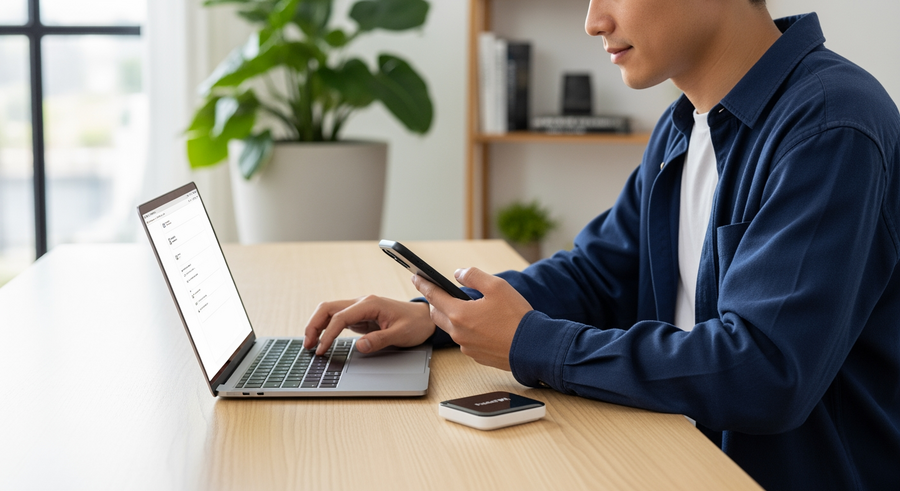
Navigating Japan’s bustling cities and serene countryside in 2026 requires reliable internet. For tourists, maintaining constant connectivity in Japan is not just a luxury; it’s essential for using navigation tools like Google Maps to decipher intricate street layouts, accessing translation apps to communicate, and checking complex train schedules on apps like Navitime or Jorudan. A Pocket WiFi device is a portable router that provides a private, secure internet connection, ensuring you’re never lost or out of touch.
The primary advantage of a Pocket WiFi is its ability to connect multiple devices simultaneously to a single network. This makes it an incredibly cost-effective solution for families or groups travelling together. Instead of each person needing their own data plan, everyone can share one connection across their phones, tablets, and laptops. This convenience simplifies your travel tech and keeps everyone online without hassle.
Furthermore, the reliability of a dedicated Pocket WiFi far surpasses that of public WiFi hotspots. While free WiFi is available in some train stations, convenience stores, and cafes, it is often spotty, slow, and requires a new, complicated login process at each location. A Pocket WiFi rental connects you to Japan’s top-tier mobile networks, such as Docomo, SoftBank, or WiMAX, which are known for their extensive coverage and high-speed performance, giving you a consistent and secure connection wherever your travels take you.
Summary
This guide explains everything you need to know about renting a Pocket WiFi for your trip to Japan. You’ll learn why it’s often a better choice than an eSIM or physical SIM, especially for groups, and discover the top rental companies. We’ll break down the costs, show you how to pick up and return your device, and share what other travellers are saying so you can make the best choice for a connected and stress-free vacation.
TLDR
- For Groups & Heavy Users: Choose Pocket WiFi. It lets you connect multiple devices and usually offers more high-speed data.
- For Solo Travellers: An eSIM is a great alternative if you have a compatible phone and don’t want to carry an extra device.
- Book in Advance: Always pre-book your rental online for better prices and to guarantee availability, especially during peak seasons.
- Pickup is Easy: You can conveniently pick up your device at major airports like Narita (NRT), Haneda (HND), or Kansai (KIX) right after you land.
- Unlimited Isn’t Always Unlimited: Be aware of “Fair Usage Policies” (FUP) that may slow your speed after a daily data cap (e.g., 3GB or 5GB).
📑 Table of Contents
Pocket WiFi vs. eSIM vs. Physical SIM Card
Choosing how to stay connected in Japan can be confusing with so many options available. The three main contenders are Pocket WiFi devices, modern eSIMs, and traditional physical SIM cards. Your best choice depends on your travel style, data needs, and the number of people in your group.
Pocket WiFi vs. eSIM Japan
The two most popular choices for tourists are Pocket WiFi and eSIMs. An eSIM (embedded SIM) is a digital SIM that allows you to activate a cellular plan from a carrier without having to use a physical nano-SIM. It’s ideal for solo travellers who prioritize convenience, as it offers instant activation upon arrival and means one less device to carry and charge. However, it only provides data to the phone it’s installed on and requires a newer, eSIM-compatible phone.
A Pocket WiFi, on the other hand, is the superior option for heavy data users, families, or groups. It provides a shareable WiFi hotspot, connecting multiple devices at once. While it does require you to carry and charge a separate device, it ensures all your gadgets (and your friends’ gadgets) stay online. It’s also the only reliable option for those with older phones that do not support eSIM technology.
When to Choose a Physical SIM
A physical SIM card remains a viable alternative. It’s a good middle ground for solo travellers with unlocked phones who may not have eSIM support or prefer a more traditional setup. You simply swap out your home SIM card for the Japanese one to get data access. However, like an eSIM, it only provides data to one device and lacks the shareable benefit of a Pocket WiFi router.
Top Rated Pocket WiFi Providers in Japan
With dozens of rental companies to choose from, a few well-regarded names consistently stand out for their service, speed, and reliability. Here’s a look at the providers that travellers trust most for their Japanese adventures.
Japan Wireless
A perennial favourite among international visitors, Japan Wireless has built a strong reputation for offering plans with high data caps and excellent network speeds. They often advertise “Premium WiFi” options that leverage the robust and widespread networks of SoftBank or Docomo, ensuring great coverage whether you’re in downtown Tokyo or exploring a rural onsen town.
Ninja WiFi
As a major competitor, Ninja WiFi is instantly recognizable by its distinct branding and extensive presence at airport pickup counters across Japan. They are known for their easy rental process and are frequently recommended by travel vloggers and influencers, making them a highly visible and popular choice for many first-time visitors.
💡 Booking via Klook and Third-Party Aggregators
For savvy travellers looking for the best deal, booking through an aggregator platform like Klook or KKday is an excellent strategy. These sites consolidate offers from various “global wifi” rental companies, allowing you to easily compare prices, data plans, and pickup locations in a single interface. The primary benefits include access to exclusive discounts and the convenience of managing all your travel vouchers (from WiFi to theme park tickets) in one app.
Rental Costs and Data Plans
Understanding the costs associated with a Pocket WiFi rental will help you budget for your trip. Beyond the daily rate, there are a few other potential expenses and policy details to keep in mind.
- Daily Rental Cost
- On average, you can expect to pay between $5 to $10 CAD per day. The price varies depending on the data speed, network provider, and the duration of your rental—longer rentals often have a lower daily rate.
- “Unlimited Data” and Fair Usage Policy (FUP)
- Most plans are advertised as “unlimited,” but this almost always comes with a Fair Usage Policy (FUP). This means that after you use a certain amount of high-speed data in one day (e.g., 3GB or 5GB), your speed will be throttled (slowed down) until the next day. This is usually more than enough for navigation, browsing, and social media, but heavy streaming could trigger the FUP.
- Extra Costs
- Be aware of optional add-ons. Insurance coverage for a lost or damaged device is highly recommended for peace of mind. You can also often rent a portable power bank, which is useful as the Pocket WiFi battery may not last a full day of heavy use. Finally, check for any shipping fees if you opt for hotel delivery instead of airport pickup.
How to Rent and Pick Up Your Device
Renting a Pocket WiFi is a straightforward process. You book online in advance and then choose your preferred pickup method for when you arrive in Japan.
✈️ Airport Pickup (Narita, Haneda, Kansai)
This is the most popular and convenient option. You can collect your device from a staffed counter or a “Smart Pickup” locker at major international airports immediately after clearing customs. Key locations include:
- Narita International Airport (NRT) in both Terminal 1 and Terminal 2.
- Haneda Airport (HND), Tokyo’s other major hub.
- Kansai International Airport (KIX) for arrivals in the Osaka region.
Simply present your order confirmation or QR code, and you’ll receive a small pouch containing the router, a charging cable, and a prepaid return envelope.
🏨 Hotel and Post Office Delivery
If you prefer to head straight to your accommodation or are arriving at an airport without a pickup counter, delivery is a great alternative. You can have the Pocket WiFi unit shipped directly to your hotel’s front desk, where it will be waiting for you at check-in. Just be sure to enter the hotel’s address and your reservation name correctly when booking. Delivery to a local post office near your location is also an option for those staying in Airbnbs or other private residences.
Returning Your Pocket WiFi
Returning your device at the end of your trip is just as easy as picking it up. The rental company provides everything you need for a smooth and simple drop-off process.
- Package Everything: Place the Pocket WiFi router, charging cable, and any other accessories back into the prepaid, pre-addressed return envelope that was provided when you picked it up.
- Drop it Off: You have two main options for the return:
- Post Mailbox: Simply drop the sealed envelope into any red Japan Post mailbox. These are ubiquitous and can be found on streets, in convenience stores, and at the airport.
- Airport Counter: Some companies also allow you to return the device in person at the same airport counter where you picked it up. This is a good option if you forget to mail it before heading to your departure terminal.
⚠️ Important: Be sure to return all items, including the device, the charging cable, and the pouch. Companies will charge penalties for any missing or damaged components.
Reviews and Community Consensus
To get a real-world perspective, looking at community discussions can be incredibly helpful. Summarizing sentiment from forums like “Pocket WiFi Japan Reddit” threads reveals consistent feedback from fellow travellers.
“The pickup at Narita was seamless, took less than 5 minutes. The battery life was the only downside; it barely lasted a full day of navigating with Google Maps. Definitely rent a power bank with it or bring your own.”
Common themes that emerge from user reviews include:
- Battery Life: This is the most frequent point of discussion. Most users strongly recommend renting or bringing a portable power bank to ensure the device lasts a full 10-12 hour day of sightseeing.
- Coverage: Coverage in cities is universally praised as excellent. However, some users report weaker or non-existent signals in very rural areas, such as during mountain hikes or at remote ski resorts. If you plan to go off the beaten path, check which network (Docomo, SoftBank) has better coverage in that specific region.
- Reliability: The vast majority of travellers report that the pickup services are highly reliable and customer support is responsive, making the entire rental experience smooth and worry-free.
Frequently Asked Questions (FAQ)
Can I rent a Pocket WiFi directly at the airport without a reservation?
Yes, most rental counters at major airports accept walk-in rentals. However, this is not recommended. It is almost always more expensive than booking online in advance, and there’s a significant risk they will be sold out, especially during peak travel seasons like cherry blossom (March-April) or autumn foliage (October-November).
Is public WiFi in Japan enough for tourists?
Generally, no. While you can find free WiFi in major train stations, airports, and some convenience store chains (like 7-Eleven or FamilyMart), the connection is often slow, has a time limit, or requires a cumbersome registration process. It is not reliable for on-the-go needs like active navigation or looking up information while moving between locations.
Can I use a Pocket WiFi from Hawaii or other countries in Japan?
While some global roaming hotspots claim to work in Japan, renting a domestic Japanese unit is usually the better option. A local device will connect directly to Japan’s high-speed networks, offering faster and more reliable service. It is also typically cheaper than paying for international roaming data packages through a global provider.
How many devices can connect to one Pocket WiFi?
Most standard Pocket WiFi units allow between 5 and 10 devices to connect simultaneously. However, keep in mind that the connection speed is shared among all connected devices. If multiple people are actively streaming videos or downloading large files at the same time, you will notice a decrease in performance.
Written by
Mustafa Aybek
