

O que uma VPN esconde? Descubra como proteger a sua privacidade online ocultando o seu IP, localização e atividade de navegação de ISPs, hackers e anunciantes.
What a VPN Hides & What it Doesn’t | AU Guide
What a VPN Hides & What it Doesn’t | AU Guide
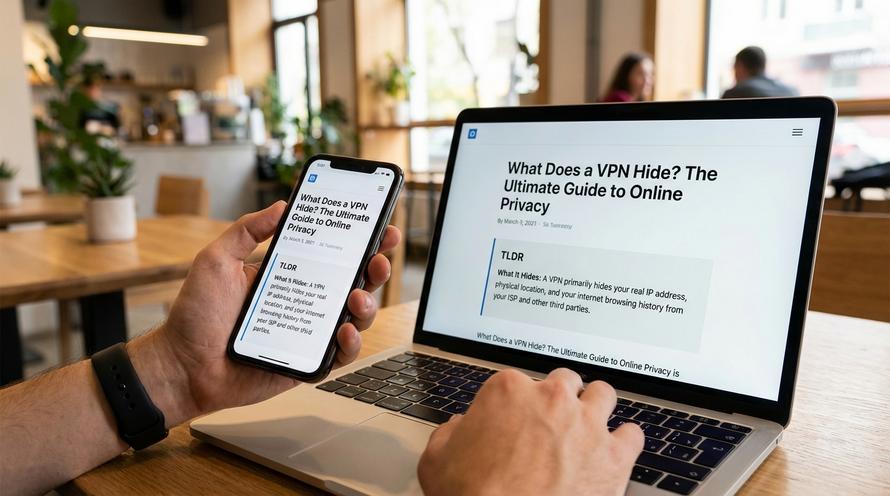
What Does a VPN Hide? The Ultimate Guide to Online Privacy
In 2026, understanding your digital footprint is more important than ever. Every time you go online, you leave a trail of data. A Virtual Private Network, or VPN, is one of the most powerful tools you have for controlling that trail. At its core, the main purpose of a VPN is to create a secure, encrypted connection (often called a ‘tunnel’) between your device and the internet. Instead of your traffic going directly from your computer or phone to a website, it first travels through a server operated by the VPN provider. This simple rerouting is the key to what a VPN does: it masks your identity and protects your data from being intercepted. For everyday Australian internet users, this means greater privacy from your Internet Service Provider (ISP), enhanced security on public Wi-Fi, and the freedom to browse without being constantly tracked. It’s a fundamental step to protect yourself from digital scams and maintain your online anonymity.
Summary
This guide explains exactly what a VPN (Virtual Private Network) hides to protect your online privacy. You’ll learn how a VPN masks your IP address, location, and browsing activity from your ISP, hackers, and advertisers. We’ll also cover what a VPN doesn’t hide, like your activity on websites you’re logged into, and clarify common questions about checking your VPN status and IP address.
TLDR
- What It Hides: A VPN primarily hides your real IP address, physical location, and your internet browsing history from your ISP and other third parties.
- Who It Hides You From: It shields your activity from your Internet Service Provider (ISP), hackers on public Wi-Fi, and trackers used by advertisers and government agencies.
- What It Doesn’t Hide: A VPN doesn’t hide your activity from websites you are logged into (like Google or Facebook), and it doesn’t protect you from malware or viruses.
- How It Works: It encrypts your internet traffic and routes it through a secure server, making it look like you’re browsing from that server’s location.
📑 Table of Contents
What Information Does a VPN Hide and Mask?
When you connect to a VPN, it acts as a digital cloak for your online identity. The core function is encryption and redirection, which effectively hides or masks specific pieces of your data. If you’re wondering, “what data does a VPN hide?” or even “what all does a VPN hide?”, the answer revolves around three key areas: your digital address, your physical location, and what you’re actually doing online.
Your IP Address
Your IP (Internet Protocol) address is a unique string of numbers assigned to your device by your ISP, much like a postal address for your house. It’s what websites and online services use to send data back to you. So, does a VPN change your IP address? Yes, absolutely. It’s one of its primary functions. A VPN hides your IP by rerouting your traffic through one of its own servers. When you visit a website, the site sees the VPN IP address of the server, not your real one. So if you’re in Melbourne and connect to a VPN server in Sydney, every website you visit will think your request is coming from Sydney. This is the simple answer to whether a VPN changes your IP and hides your IP. If you search “my ip” with and without a VPN, you’ll see two completely different addresses.
💡 Pro Tip: You can use a free online IP checker tool to see your public IP address. Try it before and after connecting to your VPN to see the change in real-time. The IP address and location should switch to match your chosen VPN server.
Your Physical Location
Since your IP address is directly tied to your geographical location, masking it also hides where you are in the world. This directly answers the common question, “does a VPN hide your location?” The answer is a definitive yes. Instead of revealing your true Australian suburb or city, websites see the VPN location—that of the server you’ve connected to. If you connect to a server in London, websites will serve you content as if you were a visitor from the UK. This is not only great for privacy but also useful for managing your data usage while travelling, as you can access home-country services as if you never left.
Your Browsing Activity and Web Traffic
Perhaps the most significant of all VPN benefits is the encryption of your internet traffic. A VPN wraps all the data leaving your device in a layer of strong encryption. This means your search history, the specific URLs you visit, the files you download, and the time you spend on each site are completely masked from outside observers. This is especially crucial on unsecured public Wi-Fi networks, like those at cafes, airports, or hotels. Without a VPN, a hacker on the same network could easily intercept your unencrypted data. By encrypting your traffic, you create a private tunnel that no one can peek into, which is a key way to boost your smartphone security.
Who Does a VPN Hide You From?
Knowing what a VPN hides is one thing, but understanding what a VPN hides you from is where its true value becomes clear. By encrypting your traffic and masking your IP, a VPN creates a barrier between you and several entities that may be monitoring your online activity.
Your Internet Service Provider (ISP)
So, what does a VPN hide from an ISP? In Australia, ISPs are subject to data retention laws, meaning they are required to store certain metadata about your online activities for a set period. When you use a VPN, your ISP (like Telstra, Optus, or TPG) can see that you are connected to a VPN server and can see the total amount of data you’re using. However, they cannot see the specifics. They won’t know which websites you’re visiting, what you’re downloading, or which services you’re using. All they see is a single, encrypted stream of data flowing to the VPN server.
Hackers and Cybercriminals
The encryption tunnel created by a VPN is a powerful security tool. When you’re on a public Wi-Fi network, you’re sharing that network with strangers. A cybercriminal on the same network could use a technique called a “man-in-the-middle” attack to intercept your data. If your connection isn’t encrypted, they could steal sensitive information like passwords, credit card numbers, and banking details. A VPN encrypts this data, making it unreadable and useless to anyone who might capture it.
Government Agencies and Advertisers
Advertisers build detailed profiles about you based on your browsing habits, which are tracked using your IP address. By masking your real IP, a VPN makes it much harder for them to link your activity back to you, reducing the number of targeted ads you see. Similarly, while a VPN is not a complete shield against determined government surveillance, it significantly limits mass data collection and dragnet tracking by preventing easy monitoring of your internet traffic at the ISP level.
What Does a VPN Not Hide?
It’s crucial to have realistic expectations. A VPN is a tool for privacy and security, not a magic cloak of invisibility. Answering “what does a VPN not hide?” helps you understand its limitations and use it more effectively as part of a broader security strategy.
Account Activity While Logged In
If you connect to a VPN and then log in to your Google, Facebook, or online banking account, that service knows it’s you. The VPN hides your IP address from the website, but your login credentials identify you. All your activity on that specific platform after logging in is tied to your account, not your IP address. The VPN can’t hide what you do once you’ve willingly identified yourself.
⚠️
A Common Misconception
A VPN doesn’t make you anonymous to the websites you sign into. It only masks your location and encrypts the data transfer between you and the site.
Device Fingerprinting and Cookies
Websites use more than just your IP address to track you. Cookies are small files stored on your device that remember your activity on a site. Browser fingerprinting is a more advanced technique where sites collect tiny details about your device setup (screen resolution, browser version, installed fonts) to create a unique “fingerprint.” A VPN does not block cookies or prevent fingerprinting, though some privacy-focused browsers can help mitigate these.
Malware and Viruses
A VPN is not an antivirus program. It encrypts your connection, but it doesn’t scan the files you download. If you click on a malicious link or download an infected file while using a VPN, your device can still be infected with malware, ransomware, or a virus. The VPN will securely transmit the dangerous file to you, but it won’t protect you from its effects once it’s on your system.
What Does Proton VPN Hide?
When considering a specific provider, users often ask, “what does Proton VPN hide?” While it hides all the standard things—IP address, location, and web traffic—premium services like Proton VPN add extra layers of protection that many free alternatives lack.
- Strict No-Logs Policy
- Based in Switzerland, which has some of the world’s strongest privacy laws, Proton VPN enforces a strict no-logs policy. This means they do not track or store any information about your online activity, so there is no data to share even if requested by authorities.
- Secure Core Architecture
- This unique feature routes your traffic through multiple servers before it leaves their network. The first servers are located in high-security data centres in privacy-friendly countries like Switzerland, Iceland, and Sweden. This makes it almost impossible to trace a connection back to your original IP address.
- Full-Disk Encryption
- Proton VPN’s servers are fully encrypted. In the unlikely event a server is physically seized, the data on it would be unreadable, further protecting user privacy.
These features demonstrate how a reputable, premium VPN goes beyond basic IP masking to provide a more comprehensive privacy solution.
Frequently Asked Questions (FAQ)
Am I using a VPN right now?
To answer “am i using a vpn” or “check my vpn,” you can do a couple of things. On a computer, look for the VPN application icon in your taskbar (Windows) or menu bar (Mac). On mobile, you’ll often see a small “VPN” key icon in your status bar. The most reliable method is to go to an online IP address checker. Note the IP and location it shows, then disconnect your VPN and refresh the page. If the IP address and location change, you were successfully connected.
What is my IP address with a VPN?
When you ask “whats my ip address vpn,” the address you’re seeing is not yours. The “my ip address vpn” result you see on a checker website is the public IP address of the VPN server you are connected to. It belongs to a data centre, potentially hundreds or thousands of kilometres away, and is shared by many other users on that same server.
Where is my VPN located?
To find the answer to “where am i vpn” or “where is my vpn,” simply open your VPN application’s interface. The main screen will almost always display the country, city, and sometimes even the specific server number you are currently connected to. This is the location that websites and online services will see.
What is a VPN number?
The query “what is a vpn number” usually has one of two meanings. Most often, it refers to the IP address that the VPN has assigned to you (the “VPN IP”). Less commonly, it might refer to the specific port number being used for the VPN connection protocol (e.g., port 1194 for OpenVPN), which is a more technical detail you typically don’t need to worry about.
What does Reddit say a VPN hides?
If you search for “what does a vpn hide reddit,” you’ll find a strong consensus in communities like r/VPN and r/privacy. Redditors consistently emphasise that a VPN’s primary job is to hide your browsing traffic from your ISP. However, they are also quick to warn that a VPN alone does not grant complete anonymity. They often recommend pairing a VPN with other tools like privacy-focused browsers and being mindful of logging into personal accounts for a more robust privacy setup.
What’s my VPN?
If you’re asking “whats my vpn,” you’re likely trying to identify which VPN service is currently active on your device. The easiest way is to look at the application icon. Check your system tray on Windows (bottom right), menu bar on macOS (top right), or your app list/status bar on a mobile device. The name and logo of the running application (e.g., Proton VPN, NordVPN, ExpressVPN) will tell you which VPN you are using.
Written by
Ruby Walker
