

Phone saying ‘SIM card not supported’? Follow our simple 2026 guide to easily fix SIM errors on your iPhone or Android and get your phone back online fast.
How to Fix a SIM Card Not Supported Error on Your Phone
How to Fix a SIM Card Not Supported Error on Your Phone
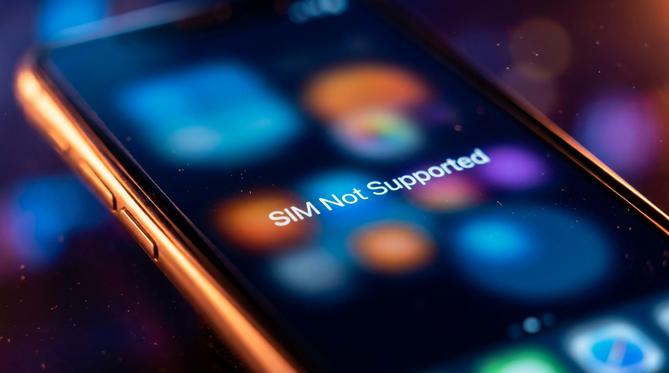
How to Fix a ‘SIM Card Not Supported’ Error on Your Phone
A “sim card not supported” error usually means your mobile phone is locked to a specific network or the SIM card itself is damaged. Whether you have an Apple, Samsung, or another Android device in 2026, this guide covers the troubleshooting steps you need to get your phone working again quickly.
Summary
You can usually fix SIM card errors by checking if your phone is locked to a specific network provider. Often, simply cleaning your SIM card, restarting your device, or checking for software updates will solve the problem. Use this guide to find the exact troubleshooting steps for your specific mobile phone so you can get back online.
TLDR
- Check if your phone is tied to a specific network provider.
- Remove, gently clean, and reinsert your SIM card.
- Restart your device and install any pending software updates.
- Contact your network provider to see if your SIM is deactivated.
📱 Table of Contents
Use this table of contents to help you navigate directly to the fix for your specific device.
- 👉 What ‘SIM Card Not Supported’ Means
- 👉 Why Your Phone is Saying SIM Card Not Supported
- 👉 How to Fix a SIM Card Not Working on iPhone
- 👉 How to Fix a SIM Card Not Working on Samsung and Android
- 👉 What to Do When Your SIM Card is Not Working for Data or Voice
- 👉 Frequently Asked Questions (FAQ)
- 👉 Top Up Your Mobile Effortlessly with Recharge
What ‘SIM Card Not Supported’ Means
A ‘SIM card not supported’ error means your device cannot read the Subscriber Identity Module (SIM) due to a software lock, a hardware fault, or an activation issue. What does sim is not supported mean for your daily use? It simply indicates that your phone and your SIM card are blocked from communicating with each other. If you are wondering what is sim not supported or what is sim not allowed, it usually comes down to a restriction placed by your network provider or a physical issue with the card itself.
Why Your Phone is Saying SIM Card Not Supported
If you are wondering why is my phone saying sim card not supported, you are not alone. Users frequently encounter this error when swapping to a local SIM card while travelling for avoiding expensive data roaming charges, only to realise their phone is carrier-locked. Temporary network glitches can also trigger SIM reading errors, making toggling flight mode on and off a highly relevant and quick troubleshooting step.
Understanding why sim card not supported or why sim card not allowed appears on your screen is the first step to fixing it. Here are the most common causes:
- Network lock: Your phone is tied to a specific network provider, which is very common with second-hand phones.
- Hardware damage: The SIM card is scratched, dirty, or incorrectly placed in the SIM tray.
- Software glitches: Your phone’s operating system is outdated and needs a quick update.
- Deactivated SIM: Your prepaid plan has expired, or the provider has blocked the number.
How to Fix a SIM Card Not Working on iPhone
If your sim is not supported iphone error is keeping you offline, there are a few easy ways to resolve it. Whether your sim card not working with new iphone models or you find your sim card not working on iphone 13, iOS devices have built-in tools to help you get connected again.
Transferring to an eSIM
📲
If you see a sim is not supported for esim transfer message, you need to convert your physical SIM properly. In 2026, most network providers support direct transfers.
To transfer your physical SIM to an eSIM on your iPhone, follow these steps:
- Go to your iPhone Settings and tap Mobile (or Cellular).
- Tap Convert to eSIM. If you do not see this option, your provider might not support direct conversion.
- Tap Convert Mobile Plan and confirm the transfer.
- Wait for the eSIM to activate, then safely remove your old physical SIM card.
Troubleshooting Steps for iOS
Try these actionable steps to clear the error on your Apple device:
- Check for carrier settings updates: Go to Settings > General > About. If an update is available, a prompt will appear.
- Restart your iPhone: Turn your device off and on again to clear temporary software glitches.
- Clean the SIM card: Remove the SIM tray, gently wipe the gold contacts with a clean microfibre cloth, and reinsert it.
- Contact your provider: If the phone is locked to a different network, call your provider to request an official unlock.
How to Fix a SIM Card Not Working on Samsung and Android
Android users also face connection issues. If you have a sim card not supported samsung error, or your sim card not working on android generally, the fixes are straightforward. Understanding why sim card not working samsung messages appear helps you fix them fast.
Fixing RCS Chat and Network Settings
Sometimes you might see an error stating your sim card not supported for rcs chat. Rich Communication Services (RCS) requires a stable network connection and updated software.
Quick Fix: To restore RCS, go to your phone’s Settings > Apps > Carrier Services, and clear the cache. Then, update your Google Messages app to the latest 2026 version.
Troubleshooting Steps for Android Devices
Get your Android phone back on the network with these clear steps:
- Reset network settings: Go to Settings > General Management (or System) > Reset > Reset Network Settings. This will refresh your mobile, Wi-Fi, and Bluetooth connections.
- Check the SIM tray: Ensure the SIM card is seated correctly in the tray and isn’t loose.
- Update your system: Go to Settings > Software Update and download any pending updates for your Android operating system.
What to Do When Your SIM Card is Not Working for Data or Voice
It is frustrating when your phone shows a signal, but your sim card not working for data. You might also wonder what is sim not allowed for voice when you try to make a call. These specific errors usually point to configuration or account issues rather than a broken SIM card.
First, check your Access Point Name (APN) settings. Go to your network settings and ensure the APN matches your provider’s official details. If the details are wrong, your phone cannot connect to the mobile internet. Next, verify that you have an active plan. Log into your provider’s app to ensure you have sufficient prepaid credit and that your account hasn’t expired.
Frequently Asked Questions (FAQ)
How do you bypass SIM not supported on iPhone?
You cannot safely bypass this error using third-party apps or software tricks. You must contact the original network provider to officially unlock the device so it can accept other SIM cards.
What SIM card does a TCL phone use?
Most modern TCL phones manufactured in recent years, including 2026 models, use a standard Nano-SIM card.
Why is my SIM card not working in a new phone?
If your sim card not working in new phone, the new device might be locked to a different network provider. Alternatively, your old SIM card may have been deactivated by your provider during the upgrade process.
What to do when an Airtel or Jio SIM is not working?
When airtel sim is not working or when jio sim is not working, first check your local network coverage. Ensure your prepaid plan is active, and if the issue persists, visit a local provider store for a replacement SIM.
Why is my SIM card not supported on Cricket Wireless?
If your sim card not supported cricket wireless, your device might not be compatible with their specific network bands. It also means your phone might still be locked to your previous carrier and needs an official unlock.
Top Up Your Mobile Effortlessly with Recharge
Once you fix your SIM card error and get your phone connected, keeping your balance topped up is the next step. At Recharge, we make prepaid payments easy anytime, anywhere, for anyone. Whether you are topping up your own phone or sending credit to family overseas, we are your trusted, reliable shortcut.
⚡
Fastest Delivery
99.9% of all orders are delivered in just 20 seconds. Get your credit instantly.
🔒
Highly Secure
We are fully PCI-DSS compliant, offering the most secure way to keep your money in control.
⭐
Trusted Globally
Trusted by over 50 million customers worldwide with a 4.6 app store rating.
Ready to stay connected? Pay your way in over 30 currencies using more than 40 secure payment methods. Browse Mobile Top-Ups Today
Written by
Ruby Walker
