

Discover how contactless payments work in 2026. Learn how to set up tap and pay on your phone, catch public transport, and shop securely.
What is a Contactless Payment? Tap & Pay Guide
What is a Contactless Payment? Tap & Pay Guide
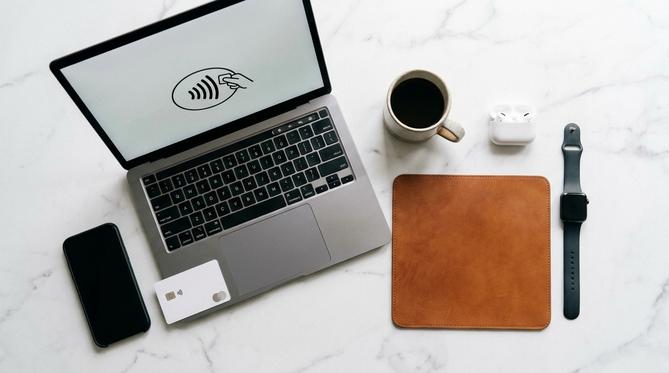
What is a Contactless Payment?
A contactless payment is a secure method of buying things by tapping your credit card, debit card, or smart device on a payment terminal. It uses NFC (Near Field Communication) technology, which is simply a way for your phone or card to securely talk to the payment machine when they are close together. In Australia, you might know it as Visa payWave, Mastercard Tap & Go, or mobile wallets like Apple Pay and Google Wallet. If you want to keep your main bank details private, you can even explore using Apple Pay without a credit card.
Summary: Contactless payments are a fast and secure way for you to pay for everyday items by simply tapping your card or smartphone. In this guide, you will learn exactly how tap and pay works, how to set it up on your iPhone or Android, and how you can use it to catch public transport across Australia – including Sydney’s Opal network and Melbourne’s Myki system. Whether you are troubleshooting a declined transaction or wondering about payment limits, you will find all the answers below.
TLDR
- Contactless payments use NFC technology to securely process your transactions in seconds.
- You can set up tap and pay on your smartphone using Apple Wallet, Google Wallet, or Samsung Pay.
- In 2026, most Australian public transport networks, including Sydney and Melbourne, let you tap on with your phone or credit card.
- Physical cards usually have a $100 or $200 limit before needing a PIN, but biometric phones often bypass this.
- If your payment fails, check your NFC settings, card expiry, or banking app for temporary outages.
📋 Table of Contents
How Do Contactless Payments Work?
When you tap your card or phone, a secure, one-time code is created to process the payment. This keeps your financial details safe and out of the hands of the merchant. It is a fast, straightforward process that takes just a second to approve, helping you get on with your day without fuss.
How to Make Contactless Payments with Your Phone
Setting up tap and pay on your phone is simple. You can link your everyday debit cards, credit cards, or even prepaid cards directly to your device.
🍏 Apple iPhone & Watch
Open the Apple Wallet app and follow the prompts to add your card. Once set up, simply double-click the side button and authenticate with Face ID or Touch ID to pay.
🤖 Android Devices
Download or open Google Wallet or Samsung Pay. Add your card details, and make sure your NFC is turned on in your phone settings before tapping the terminal.
Contactless Payment Limits and PINs
In 2026, the Australian limit for tapping a physical card without entering a PIN is typically $100 or $200, depending on your bank. If you spend over this limit, the payment machine will ask you to enter your PIN to confirm the purchase.
💡 Pro Tip: If you use a smartphone with biometric security – like Face ID or a fingerprint scanner – you can often bypass this PIN limit because your device has already verified it is you.
Using Contactless Payments on Australian Public Transport
Most states in Australia now let you tap on and off using your phone or credit card instead of a dedicated transport card. This makes getting around much faster and simpler.
Sydney and NSW: Opal Card vs Credit Card
You can tap on with a credit card, debit card, or phone on Sydney trains, buses, ferries, and the light rail. Adult fares are exactly the same whether you use an Opal card or your credit card. However, if you need a concession or pensioner rate, you still need a dedicated Opal card.
⚠️ Forgot to tap off? You will be charged the maximum default fare. Simply search online for the “Transport for NSW contactless payments reimbursement form” to claim it back.
Melbourne and Victoria: Myki and Trams
Paying for trams in Melbourne is easy. If you are travelling strictly within the Free Tram Zone in the CBD, you do not need to tap on at all. As of 2026, credit card acceptance is widely integrated across Victorian public transport, but many locals still prefer using Mobile myki via Google Wallet on Android devices.
Brisbane (QLD) and Perth (WA)
- Queensland (Smart Ticketing)
- The Smart Ticketing system allows you to tap on with a credit card or smart device on buses, trains, and ferries across South East Queensland.
- Perth (SmartRider Upgrades)
- While the Transperth SmartRider is the main travel card, recent tap and pay network upgrades make it easier to use your credit card or phone across the network.
Troubleshooting: Why Are My Contactless Payments Not Working?
Sometimes things go wrong, but the fix is usually quick and easy.
Contactless Payments Down Today or Not Working on Phone
If your tap and pay fails, check a few common culprits:
- Your phone’s NFC might be turned off in the settings.
- Your physical card may have expired.
- There is a temporary banking outage (e.g., if CommBank tap and pay is not working, it is usually a network issue).
Quick Fix: Restart your phone, check your banking app for alerts, or try removing and re-adding your card to your digital wallet.
Can You Make a Contactless Payment Without Internet or NFC?
Physical cards do not need the internet or a battery to work. Apple Pay and Google Wallet can usually make a limited number of offline payments without an active internet connection. However, your phone absolutely must have an NFC chip to communicate with the terminal – you cannot tap and pay without NFC.
Frequently Asked Questions (FAQ)
What are the disadvantages of contactless payment?
The main disadvantages are the risk of overspending due to convenience, and the small risk of someone using your physical card if it is lost or stolen before you cancel it.
Does Australia have contactless payments?
Yes, Australia is one of the world’s leading countries for contactless payments, with tap and go accepted at almost all shops, cafes, and public transport networks.
How many contactless payments can you make before needing a PIN?
For physical cards, banks sometimes require a PIN after a certain number of consecutive taps – usually 3 to 5 – as a security measure to prove you still have the card.
How long do contactless payments take to process?
The tap itself takes just a second to approve. However, the funds may show as “pending” in your bank account for 1 to 3 business days before fully clearing.
Can I use contactless payment for a vending machine?
Yes, most modern vending machines in Australia are equipped with NFC card readers, allowing you to pay with your phone or tap card.
Top Up Your Digital Life with Recharge.com
If you want to keep your main bank details private or stick to a strict budget, using prepaid payment cards is a smart choice. Recharge.com offers a fast, secure way to buy prepaid credit cards that you can link directly to your Apple or Google Wallet.
Browse our prepaid payment cards today – and enjoy secure, seamless tapping wherever you go.
Written by
Ruby Walker
