

O seu telemóvel está bloqueado a uma operadora? Aprenda a desbloqueá-lo de graça com o nosso guia. Explicamos passo a passo como libertar o seu telemóvel da Telstra, Optus ou Vodafone, com instruções para iPhone e Android.
How to Unlock Your Phone in Australia | Free Carrier Guide
How to Unlock Your Phone in Australia | Free Carrier Guide
Understanding Network Locked Phones
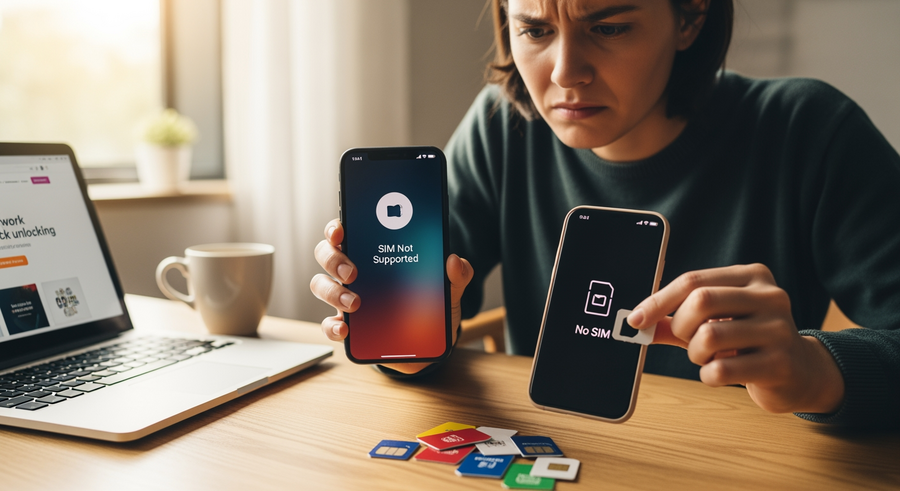
Ever bought a new mobile only to find your mate’s SIM card won’t work in it? You’ve likely encountered a network locked phone. A network locked, or carrier locked phone, is a device that has been restricted by a mobile provider to only work with their SIM cards. If you have a phone locked to Telstra, for example, it simply won’t recognise a SIM from Optus or Vodafone. This is a common practice in Australia, especially when you get a phone on a plan. Carriers do this to ensure you stick with their service, particularly if they’ve sold you the handset at a subsidised price or as part of a prepaid deal. Unlocking your phone gives you the freedom to switch providers, find better deals, and use local SIM cards when travelling, which is essential for managing mobile data abroad. It’s also a crucial step when buying a second-hand phone to make sure it’s not tied to the previous owner’s provider. This guide will walk you through everything you need for a successful mobile unlock.
Summary
This guide provides a complete walkthrough on how to unlock your phone from any Australian carrier in 2026. You’ll learn what a network-locked phone is, how to check if your device is locked, and the step-by-step processes to unlock it for free from major providers like Telstra, Optus, and Vodafone. We also cover specific instructions for iPhones and Android devices, advice for unlocking US-based phones, and answer frequently asked questions to ensure you have all the information you need.
TLDR
- Check Your Lock Status: The easiest way to see if your phone is locked is to insert a SIM card from a different carrier. If it asks for an “unlock code,” it’s locked.
- Contact Your Carrier: In Australia, your carrier is the best and safest source for unlocking. They are often required to do it for free if your contract is over.
- Have Your IMEI Ready: You’ll need your phone’s unique IMEI number. You can find this by dialling *#06# on your phone.
- iPhone vs. Android: The unlocking process is different. iPhones are unlocked remotely by the carrier, while Androids usually require you to enter a code manually.
- Third-Party Services: Use these with caution. While some are legitimate, many are scams. Unlocking directly through your provider is always the preferred method.
📑 Table of Contents
How to Check if Your Phone is Unlocked
Before you try to unlock your phone, it’s a good idea to confirm whether it’s locked in the first place. Many phones sold in Australia today, especially those on postpaid plans, already come unlocked. Here are two simple methods to check your phone’s status.
Method 1: The SIM Card Swap
This is the most straightforward way to check. All you need is a SIM card from a different network. For instance, if your phone is from Telstra, borrow a friend’s Optus or Vodafone SIM.
- Turn off your phone and eject your current SIM card.
- Insert the SIM card from the other carrier.
- Turn your phone back on.
- If the phone connects to the new network and you can make calls, it’s unlocked! If you see a message like “SIM Not Supported,” “Enter Network Unlock Code,” or “SIM Network PIN,” your phone is locked to your original carrier.
Method 2: Using Your IMEI Number
Your phone’s International Mobile Equipment Identity (IMEI) is a 15-digit code unique to your device. You can use this to check the lock status.
First, find your IMEI by dialling *#06# on your phone’s keypad—the number will appear on the screen instantly. You can also find it in your phone’s settings under “About Phone” > “Status”. Once you have it, you can use an online IMEI check Australia service or contact your carrier directly and provide them with the number to confirm the lock status. Using your IMEI to see if phone is unlocked is a quick and reliable method.
How to Unlock Phone from Carrier for Free
In Australia, unlocking your phone is a consumer right, and the process is usually simple and free, especially if you’ve completed your contract. Here’s how to approach it to unlock phone for free.
The standard and most legitimate way is to contact your mobile carrier directly. Under the Telecommunications Consumer Protections (TCP) Code, providers must give you the unlock code free of charge if you’ve finished your contract period. For prepaid devices, a small fee might apply if you request an unlock within a certain period of first using the service (e.g., within the first 6 months).
📋 What You’ll Need
To process your request, your carrier will typically ask for the following information:
- Account Holder’s Details: The name, date of birth, and possibly the account number of the person who originally signed the contract.
- Your Phone’s IMEI Number: Dial *#06# to get this 15-digit code.
Having this ready will make the process to unlock phone free with IMEI number much smoother. Most carriers have an online portal or a dedicated phone number for unlocking requests.
Unlocking Guides for Major Australian Networks
Each Australian network has a slightly different process. Here’s a breakdown of how to unlock your device from the big three and other providers as of 2026.
How to Unlock Telstra Phone
Telstra has a straightforward policy. Most devices sold on a Telstra postpaid plan in the last few years come pre-unlocked. However, if you have a prepaid device or an older phone, you might need to request an unlock.
- Telstra Unlocking Policy:
- Postpaid: Devices sold after 2016 are generally unlocked. If yours is older, you can unlock it for free once your contract is complete.
- Prepaid: To unlock Telstra phone free online, you must have had an active service for over 6 months and recharged at least $80. If you want to unlock it sooner, a fee applies (around $80 if used for less than 6 months, $25 if used for more than 6 months but less than 2 years).
📞 You can request a Telstra unlock phone service by calling them at 13 22 00 or by visiting their online unlocking page on the Telstra website.
How to Unlock Optus Phone
Optus also makes it easy to unlock Optus phone devices, with clear distinctions between prepaid and postpaid services.
- Postpaid Devices: Most modern Optus postpaid phones are sold unlocked. For older models, they are automatically unlocked at the end of the contract term.
- Prepaid Devices: Similar to Telstra, an unlocking fee applies if the device has been active for less than six months. After six months of service, the unlock is free.
💡 Optus Unlock Phone Tip: Optus has a dedicated online portal for unlocking requests. You simply enter your IMEI, and it will guide you through the process and any applicable fees.
Vodafone and Other AU Providers
Vodafone has been a leader in this area, selling almost all their devices unlocked for several years now. If you have a very old Vodafone-branded phone, you can contact their customer support for a free unlock code.
For Mobile Virtual Network Operators (MVNOs) like Boost Mobile, Amaysim, or ALDImobile, their unlocking policies depend on the network they use. For example, Boost uses the Telstra network, so its unlocking policy is very similar to Telstra’s prepaid rules.
Device-Specific Unlocking Instructions
The final step of unlocking your phone can differ depending on whether you have an iPhone or an Android. Here’s what to expect for each.
How to Unlock iPhone from Carrier
If you’re wondering how to unlock phone from carrier iphone, you’ll be happy to know it’s a very clean process. iPhones don’t use unlock codes. The unlock is processed remotely by Apple, initiated by your carrier.
📱
iPhone Unlocking Steps:
- Contact your carrier and request the unlock. They will submit the request to Apple on your behalf.
- Once the carrier confirms the unlock has been processed (this can take up to 48 hours), insert a SIM from a different network.
- Connect your iPhone to Wi-Fi. It should automatically activate with the new SIM.
- In some cases, you may need to connect your iPhone to a computer and restore it with iTunes (or Finder on macOS) to complete the process.
How to Unlock Samsung and Android Phones
For Android users, including those asking how to unlock phone from carrier samsung, the process is more manual and involves entering a code.
🤖
Android Unlocking Steps:
- Request the unlock code from your carrier. They will provide you with a numeric Network Unlock Code (NUC).
- Turn off your phone and insert a SIM card from a different provider.
- Power your phone back on.
- A prompt will appear on the screen asking for the “SIM network unlock PIN” or a similar phrase.
- Carefully enter the NUC provided by your carrier and press “Unlock.” Your phone should now be permanently unlocked.
Unlocking US Carriers (For Imports and Travellers)
Many Aussies buy phones from overseas via sites like eBay or Amazon, only to find they’re locked to a US carrier. This is also relevant for travellers dealing with US-based phones. Unlocking them can be trickier due to stricter policies.
Unlocking from AT&T, Verizon, and T-Mobile
These major US carriers have rigid unlocking rules, but it’s not impossible.
AT&T
If you need to how to unlock phone from carrier att, use their online unlock portal. Non-customers can use it, but the device must be fully paid off and not reported as lost or stolen.
Verizon
For those asking how to unlock phone from carrier verizon, they have a simpler policy. Most Verizon phones automatically unlock 60 days after activation, provided the account is in good standing.
T-Mobile
To how to unlock phone from carrier tmobile, the device must have been active on their network for at least 40 days and be fully paid off. They have an unlock app on their Android devices.
Unlocking from Budget US Carriers (Straight Talk, Cricket)
Budget carriers, often called MVNOs, have the strictest policies.
- To how to unlock phone from carrier straight talk, you typically need 12 consecutive months of paid service. Their requirements are among the most stringent.
- Similarly, to how to unlock phone from carrier cricket (which is owned by AT&T), the device must be used for at least six months on their network before they will unlock it.
Frequently Asked Questions (FAQ)
Can I use third-party websites to unlock my phone?
Yes, third-party IMEI unlock services exist, but you should be extremely cautious. While some are legitimate, many are scams that will take your money and disappear. The unlock price can vary wildly, and there’s no guarantee it will work. The safest, most reliable, and often free method is to go directly through your carrier.
What does Reddit say about unlocking phones?
If you search for “how to unlock phone from carrier reddit,” you’ll find a strong consensus. The overwhelming advice from users is to contact the carrier first. Most threads warn against using sketchy third-party websites, sharing stories of being scammed. The community almost universally recommends the official carrier route for safety and cost-effectiveness.
Is it legal to unlock a phone in Australia?
Yes, it is 100% legal to unlock your mobile phone in Australia. You own the device, and you have the right to use it with any compatible network. Carriers can set conditions (like fees for early unlocking on prepaid), but they cannot legally prevent you from unlocking a phone you have paid for.
What is an IMEI number and how do I find it?
The IMEI (International Mobile Equipment Identity) is a 15-digit number that is a unique identifier for your mobile device. Think of it as your phone’s fingerprint. The primary purpose of a what is imei unlock is to use this unique number to identify the device in the carrier’s database to remove the network lock. The easiest way to find it is to open your phone’s dialler and type *#06#, and the number will instantly pop up on your screen. You can use this for any unlock imei request.
Why is my phone asking for a PUK code?
It’s important not to confuse a network unlock code with a PUK code. A PUK (Personal Unlocking Key) code is related to your SIM card, not your phone. Your phone will ask for a PUK code if you’ve entered your SIM card’s PIN code incorrectly too many times. It’s a security feature to protect your SIM. To get your PUK code, you need to contact your mobile provider (the provider of the SIM card, not the phone lock). A Network Unlock Code, on the other hand, is used only once to free your phone from a carrier lock.
Written by
Ruby Walker
